
For a modern OBD2 Chevrolet, do not assume that a key-turn sequence, pedal combination or paper clip will display its diagnostic trouble codes. The reliable route is a compatible diagnostic interface, which can belong to a repairer or a participating store rather than to you. Equipped vehicles may also provide useful information through connected services, but a dashboard message or remote alert is not necessarily a complete scan report.
Start by identifying the model year, engine and market before following any instructions. A method described for an older Chevrolet diagnostic system should not be carried over to a newer connector. In particular, do not bridge unidentified socket terminals to make a warning lamp flash.
The fact that a connector is within reach does not make it an owner test point. This guide explains the practical choices when you have no reader available: use the warning information safely, check supported connected diagnostics, obtain a code-reading service and preserve the result for diagnosis. It deliberately does not present an undocumented universal code-retrieval trick.
Credit: www.endurancewarranty.com
Separate a dashboard warning from a stored code
The instrument cluster communicates selected warnings chosen by the vehicle manufacturer. It is not automatically a menu for every stored diagnostic record.
A message about engine power, a steady warning lamp and a flashing lamp can require different responses, so copy the exact wording and consult the manual for the exact vehicle. Chevrolet: dashboard warning-light guidance is a starting point for understanding Chevrolet warning categories, but the owner's manual remains necessary for model-specific instructions.
Do not keep operating a vehicle with severe symptoms merely to see whether a message changes. If there is overheating, loss of safe control, smoke or a serious stop instruction, deal with that condition first.
When the vehicle is safely parked, note when the message appeared and what the car was doing. Include whether the engine was cold, whether recent work was performed and whether another driver had seen the warning earlier.
That information can be collected without a scanner and can improve the later diagnosis. It cannot, however, establish the underlying code number.
Avoid translating a general message into a guessed code from an internet list. Different faults can cause similar messages, and the same fault can produce several messages through related systems.
A photograph of the cluster is useful evidence, but it should be labeled as a warning display rather than a diagnostic scan.
This distinction is particularly important when asking a shop for an estimate over the phone.
Check whether your Chevrolet supports remote diagnostics
Connected services can be an option on an equipped and enrolled vehicle. Chevrolet: Diagnostic Alerts and equipment limits describes alerts for selected systems and makes clear that availability depends on equipment and service conditions.
Do not infer that every Cruze, Tahoe, Silverado or Impala has the same remote capabilities. Confirm the specific vehicle's service eligibility and account status first.
A monthly health summary may not be the same as an on-demand report, and an alert may describe a condition without giving all of the module data a technician needs. OnStar: Vehicle Diagnostics questions explains its diagnostic service options and the role of an advisor on supported vehicles.
Ask what information can be supplied for the present warning and whether the report identifies an actual code, module and time. Save the response rather than paraphrasing it from memory.
If a report recommends attention to a system, do not treat that as a verified component failure. A remote service can help direct the next step, but it cannot inspect a loose connector, damaged hose or mechanical leak through the screen.
If the service is unavailable, that is not evidence that the vehicle has no faults. It simply means that this route cannot provide the information you need.
Use a local reader or workshop instead of trying to force a hidden diagnostic mode.
Obtain a reading without buying your own tool
A repair shop, mobile diagnostic service or participating parts store may be able to retrieve a report. Call first with the Chevrolet's year, engine and the warning involved. Ask whether the service covers only emissions-related powertrain data or can access the particular system you need.
A generic engine-code check is not a substitute for an airbag, ABS or body-module scan. AutoZone: Fix Finder service and coverage limitations describes AutoZone's service and identifies vehicle-dependent limitations for some information. It should not be read as a promise that every reader sold at the store has the same coverage.
Nor should a store's suggested repair be treated as a complete mechanical diagnosis. Explain if the vehicle cannot be safely driven; a free service at a counter is not a reason to ignore an unsafe condition. Ask a repairer about recovery or mobile service where appropriate.
When the scan is completed, request the original codes and their status, not only a list of recommended parts. Save any available freeze-frame information and the name of the module that supplied it. Record whether the engine was running and whether anyone cleared the data during the visit.
If a shop charges for diagnosis rather than just retrieval, ask what testing and written findings are included. These are different services, so comparing them solely by price can be misleading. A code-reading visit answers what the computer reported; a diagnostic visit should investigate why it reported that condition.
Before attending, prepare a short request: identify the vehicle, describe the warning and ask for a saved report without an automatic erase. For example, a driver whose Silverado displayed reduced power should report the exact message, the driving conditions and whether normal power returned after parking.
The driver should not arrive asking for a particular throttle component solely because another truck had a similar message. A Tahoe owner with an ABS warning should ask about ABS access rather than accepting an engine-only result as an all-clear.
A Cruze owner with an intermittent engine lamp should preserve any earlier report even if the lamp is now off. These examples are not diagnoses for those models.
They show how to ask for the right category of evidence while avoiding assumptions based on the vehicle name. The model-year and engine details still determine the actual testing procedure.
Why old Chevrolet shortcuts do not transfer automatically
Chevrolet vehicles span different generations of electronics. Instructions for an older diagnostic connector, a dashboard self-test or a particular instrument panel cannot be assumed to work on an OBD2 vehicle.
Even where an older system genuinely used lamp flashes, the procedure, terminal identification and code definitions belonged to that system. A modern connector can contain power and communications circuits that should not be bridged experimentally.
Do not insert wire, a test lamp or a metal probe based on an unverified diagram. The absence of a scanner does not make an electrical shortcut less risky.
Similarly, repeatedly cycling the ignition may change what the cluster displays without retrieving any diagnostic code. A lamp test at startup is not a fault-code report.
Resetting the battery is also not a reading method: it can disturb diagnostic information and vehicle settings instead of revealing the missing record. If a video claims that one sequence works for all Chevrolets, ask for the exact model-year service reference before acting on it.
A useful tutorial should identify its application, not simply show that a warning light blinked. For an older vehicle, obtain the correct factory information or use a repairer familiar with that generation.
For a newer one, arrange compatible scan access. Both choices are more defensible than experimenting with unfamiliar connector pins.
This article does not claim that no Chevrolet ever had an onboard display procedure; it explains why an undocumented method cannot be recommended across the brand.
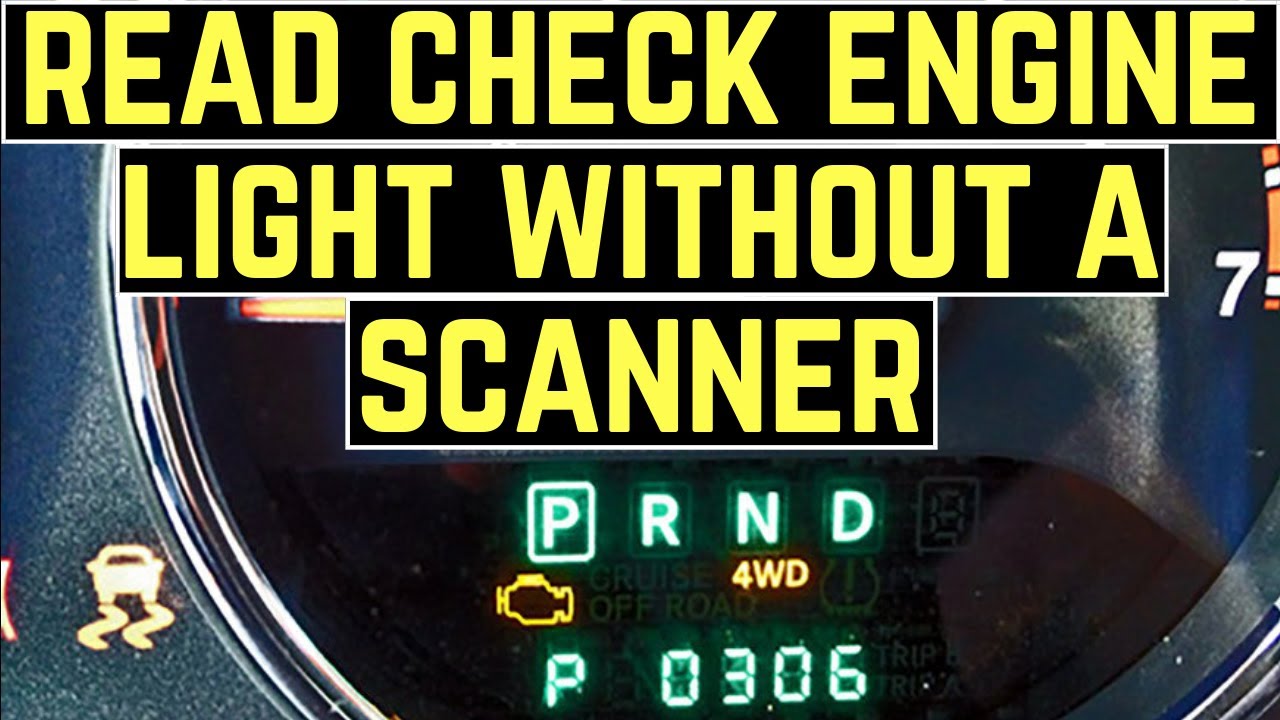
Credit: www.youtube.com
Keep the report useful after you obtain it
Once you have the information, preserve the exact code text, module, status and symptom history together. A code definition can point to a monitored condition without proving that the component named in the description needs replacement. Ask what additional check would distinguish an electrical connection issue, an operating-condition problem and a failed part. If the warning disappears before the appointment, still provide the saved report and explain when it was present. Conversely, if a basic reader finds no codes while a warning remains, confirm that the relevant module was actually accessed. A failed connection is not a clean scan, and a successful powertrain scan is not a complete inspection of every vehicle system. Do not clear the data merely to make the dashboard look normal before seeking help.
If clearing becomes part of a legitimate repair procedure, save the earlier evidence first and understand that readiness information may need to be evaluated afterward. You can obtain useful Chevrolet diagnostic information without purchasing a reader, but you still need an authorized, compatible route to the data. Dashboard observations, supported connected services and a documented scan each contribute different information. Treat them as complementary records rather than interchangeable shortcuts. That approach gives the next technician something concrete to investigate and avoids the false confidence of a guessed code. If you later decide to buy a tool, choose it for the Chevrolet's exact systems and your intended tasks rather than for an advertised universal compatibility claim.


Automotive reference information. Confirm specifications in the manual for your exact vehicle. Original replacement guides link to their research sources. About us


