
An OBD2 scanner can create problems if it is unsuitable, damaged, incorrectly connected or used to perform the wrong operation. Reading supported diagnostic information is a different activity from clearing records, running an actuator test, coding a module or programming software. Do not treat every menu item as harmless because the same tool also reads codes. At the same time, a warning noticed after connecting a reader does not automatically prove that the reader damaged the vehicle.
The timing needs investigation. Start by identifying the exact tool, what command was used and what changed. This guide explains practical risk boundaries without claiming that any unidentified adapter is guaranteed safe. The vehicle manufacturer's instructions and the tool's documentation take priority over a generic tutorial.
If the vehicle develops a serious warning, abnormal operation or a burning smell, stop the session and deal with the vehicle condition safely. Do not keep experimenting to see whether another reset makes the problem disappear. Preserve the original information and the sequence of events for a qualified repairer.
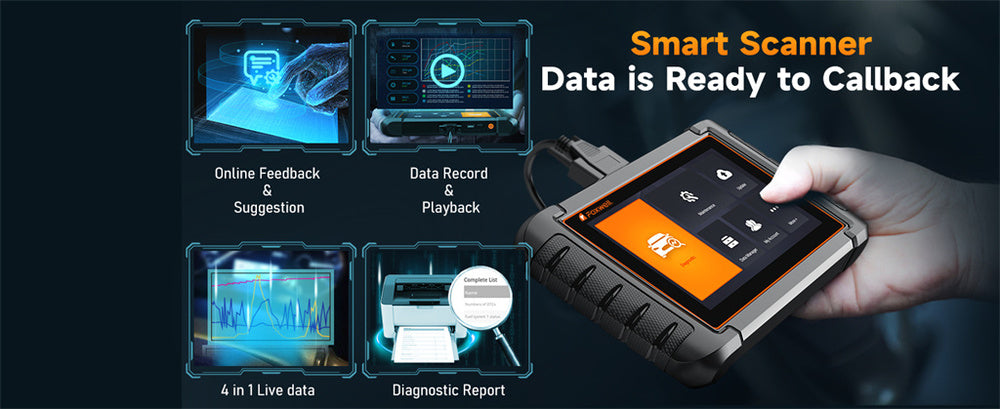
Credit: www.foxwelldiag.com
Distinguish electrical, command and operating risks
The diagnostic socket is an electrical connection, not simply a convenient mounting point. A cracked connector, bent contact, damaged cable or unsuitable adapter is a reason not to proceed. Inspect accessible parts visually and do not force a plug that does not align. Do not bridge pins, feed power into an unidentified terminal or use an improvised cable to overcome a connection problem. Those actions are different from operating an approved reader according to its manual. If the socket itself is damaged or loose, have it assessed before attaching equipment. A device drawing power is not proof that it is communicating correctly or that its electrical design is suitable for the vehicle. Use hardware with identifiable documentation and support. The scanner communication guide explains why the physical connection, interface electronics and diagnostic software are separate layers.
Vehicle guidance can also restrict aftermarket devices. Ford: data-link connector warnings and diagnostic access includes a warning about wireless plug-in equipment and access to vehicle data and safety-related systems for the application it describes. Do not dismiss a vehicle-specific restriction because a seller advertises broad compatibility. Check your own owner's information before installing a device, especially one intended to remain connected during driving. Security is another consideration. FBI and NHTSA: aftermarket device security advice advises owners against connecting unknown or untrusted diagnostic-port devices and highlights the importance of third-party security and privacy practices. That does not establish that every wireless adapter is compromised; it explains why provenance and support matter. Use official software, protect account credentials and keep the device's documented updates current. Do not install a modified app or firmware merely because it promises extra functions.
An unofficial package can change the risk without providing a reliable coverage guarantee. Next, distinguish the operation being requested. A normal read retrieves information. An erase command asks the controller to remove supported records and can change readiness status. A service reset can alter a maintenance or adaptation state. An active test can operate a component. Coding and programming can change configuration or software. These are not interchangeable forms of scanning. The fact that a menu is visible does not establish that the operation is appropriate for the current vehicle or repair.
Some actions require specific prerequisites, equipment and service instructions. If you do not understand the purpose and completion conditions, do not select the command to see what happens. This is especially important around restraint systems, braking functions, immobilizers and electronic service procedures. A basic reader may not offer those functions, but a more capable tablet can. More capability means more need to understand the procedure. A clear command can also cause harm to the diagnostic process without physically damaging a module. Erasing codes before saving them may remove useful evidence about an intermittent fault. EPA: performing onboard diagnostic system checks emphasizes retaining diagnostic information during inspection rather than clearing it as a routine first step.
If a repair procedure later calls for an erase, keep the earlier record and understand what verification must follow. A warning light going out after clearing does not prove that the original fault is repaired. Nor should a permanent or returning code be treated as a reason to keep repeating the command. Power stability matters when a procedure explicitly requires it, particularly for software operations. Do not start a programming task with uncertain equipment or interrupt it because the screen seems slow. Follow the manufacturer's recovery instructions if an operation fails; a series of improvised restarts may complicate the situation. This article does not provide programming steps because those depend on the exact vehicle and tool. For ordinary owner code reading, avoid escalating into advanced operations simply because a connection has succeeded.
Physical use can create risks too. A cable routed across pedals or a bulky adapter near the driver's feet can interfere with normal control. Set up and inspect the device while stationary. Do not look down at a scanner or operate an app while driving. A data-recording task, if appropriate, needs a safe defined arrangement rather than a driver handling the screen. Running-engine checks require adequate ventilation and attention to hot or moving parts. A handheld tool's cable should not be draped across a fan, belt or exhaust component. KONNWEI: KW808 user manual provides a manufacturer manual with safety and operating instructions for a specific reader; use the equivalent documentation for your own model.
Do not assume that an engine-running procedure applies to every tool action. Some menus require ignition on with the engine stopped, while others are meaningful only during operation. Following the wrong state can yield an invalid result or make the action inappropriate. Finally, leaving equipment installed is a separate decision from a brief diagnostic session. Evaluate the vehicle instructions, adapter power management, physical clearance and security support. Do not assume that every small dongle can safely remain connected for months. If the device is not intended for unattended use, remove it through the documented shutdown sequence and store it correctly. A short successful scan does not prove long-term compatibility under all operating conditions.

Credit: www.autonationmobileservice.com
What to do if something changes after a scan
Stop and document the sequence rather than immediately blaming the ECU or repeatedly clearing warnings. Note the vehicle condition before connection, the tool model and software version, the ignition state and the exact menu action selected. Save screenshots or reports that show the result. If a new warning appeared during a known service procedure, follow that procedure's completion or recovery instructions and obtain appropriate support. If the tool was only reading, a technician may need to determine whether the warning was already present, was exposed by the scan or reflects a genuine communication or electrical problem. The order of events is evidence, but it is not a diagnosis by itself. Do not replace an expensive controller solely because the warning and scan happened close together. Ask which tests demonstrate a damaged module and which alternative explanations were checked. If the vehicle cannot be operated normally, arrange assistance rather than driving it to reproduce the issue.
Keep the reader and cable available for inspection, but do not continue connecting a visibly damaged unit. If you suspect a security problem, stop using the untrusted device and follow appropriate manufacturer guidance; do not attempt to attack or probe vehicle networks to prove the concern. For a normal beginner session, a simple risk-reduction plan is enough: verify the equipment, follow the connection instructions, read and save information, avoid unfamiliar action menus and disconnect correctly. Consider a concrete example: a reader reports a code, and the owner presses erase before recording the status. The immediate problem may be lost diagnostic context rather than physical ECU damage. In another example, a person selects a service routine without satisfying its prerequisites. That needs procedure-specific help, not a generic assurance that scanners cannot hurt anything. In a third example, the adapter obstructs the driver's foot space despite operating normally. That is a physical installation problem even if its electronics are sound.
Evaluating the actual operation and condition is more useful than a blanket yes-or-no claim. A scanner is a tool; its risk depends on what it is connected to, how it is made and what the user asks it to do. A repair handoff should include any accessories already attached to the diagnostic socket before the scan, such as a fleet device or an extension. Record whether those were removed or reconnected, because the change may be relevant to the investigation. Do not silently omit earlier low-battery symptoms or a previous failed service attempt. The technician needs the complete timeline to distinguish coincidence from a consequence of the session. If a workshop used the tool, ask for its scan report and the operation performed rather than assuming that all work described as diagnostics was read-only. Clear documentation supports a fair assessment of what happened and avoids unnecessary replacement based on suspicion. Keep those questions separate and stop before an unfamiliar command becomes an avoidable repair problem.


Automotive reference information. Confirm specifications in the manual for your exact vehicle. Original replacement guides link to their research sources. About us


