
An OBD2 scanner works by sending supported diagnostic requests to a vehicle controller and interpreting the responses. The car already monitors its systems and stores information; the reader does not discover every fault by measuring the vehicle through the connector. It asks for records and data that the controller can provide. Between your tap on a screen and the displayed result are several layers: the tool or app, its interface electronics, the vehicle communication protocol, the controller being addressed and the software that labels the response.
A failure at any layer can look like a scanner problem. That is why a lit display, a paired phone and a successful engine-code read are three different milestones. Understanding this chain helps you ask better questions when a device will not connect or a value looks implausible. This guide focuses on how information travels, rather than on a universal button sequence.
The exact procedure still belongs to the tool and vehicle instructions. It also distinguishes a normal read request from a command that clears information or changes the vehicle's state. Those actions can share a menu but are not equivalent operations.

Credit: www.amazon.com
The interface is more than a plug-shaped cable
The diagnostic connector provides a physical access point, but a scanner also needs suitable electronics and software. A cable that matches the socket does not by itself translate a vehicle protocol or supply a missing diagnostic application. The interface manages communication between the host device and the vehicle's supported network or diagnostic line. ELM Electronics: ELM327 OBD-to-serial interpreter datasheet describes one widely used interpreter architecture that translates host commands and OBD communication.
It is useful for understanding the layers, but an adapter advertised with a similar name should not automatically be assumed to contain identical hardware or behavior. Product implementation and firmware still matter. In a standalone scanner, the display, controls and communications interface are packaged together.
In a wireless setup, the app and adapter perform different roles. The phone first needs a working connection to the adapter, and the adapter then needs a working session with the vehicle. Pairing success proves only the first part.
A status message that says connected may refer to the radio connection rather than to an engine controller. Check the app's separate connection indicators where available. This distinction prevents an owner from treating a silent vehicle response as evidence that no codes exist.
OBD Auto Doctor: supported adapter connection types documents how adapter transport support differs across operating systems. Bluetooth Classic, Bluetooth Low Energy, Wi-Fi and USB describe the host-side connection, not the full extent of vehicle coverage. A device can use a suitable phone connection and still lack a vehicle-specific function.
Similarly, a conversion lead for an older connector may satisfy a physical requirement while leaving the protocol and software requirements unresolved. This is especially relevant to OBD1 systems, which should not be assumed to become standardized OBD2 systems when an adapter is attached. Identify the actual diagnostic system before choosing hardware.
A correct interface is the beginning of access, not a guarantee of every diagnostic capability. If a tool has power but will not communicate, the troubleshooting question is which stage failed. Replacing unrelated parts or repeatedly clearing the app settings will not answer that question without a structured check.
A successful session still has a defined scope
Once communication is established, the tool requests a particular kind of information. That might be a code list, monitor status, a supported live parameter or vehicle identification. The vehicle responds according to what it supports and what the tool is asking for. California BAR: OBD test reference and supported data identifies supported-data and status requests in its inspection reference, illustrating that availability must be established rather than assumed. A menu can contain a field that your vehicle does not report.
An unsupported response is not the same as a sensor reporting zero. A useful application should distinguish those cases, but the owner still needs to read the status and units carefully. Generic emissions access is designed around a standardized set of information; enhanced diagnostics can address additional manufacturer-specific data or modules. A reader that communicates with the engine does not necessarily communicate with the transmission, ABS, body or restraint controller. Even when several modules are visible, available functions may differ between them.
Record which module supplied a code or value before comparing it with a service procedure. The same shortened label in two apps can conceal different data definitions. Some displayed values are calculated by the controller or application rather than directly measured by a dedicated sensor. Interpretation therefore requires more than looking at the number. Ask whether the field is reported, calculated, commanded or actual, and whether the vehicle supports that distinction.
Live data also depends on time. A basic interface typically requests values and receives responses; selecting many parameters can affect how often individual values update. A smooth graph is not proof that every short event was captured. For an intermittent complaint, choose a focused set of relevant parameters and understand the tool's recording behavior. Do not overload the screen with every available field simply because the app permits it.
A saved record should include the operating conditions and which parameters were selected. For example, a warm-idle snapshot cannot be compared meaningfully with a cold-start snapshot without acknowledging the difference. A value recorded while the engine is off may be useful for one question and irrelevant to another. The connection process also depends on the vehicle being in the state required by the tool instructions. An accessory setting may power a display without waking the controller needed for diagnosis.
Conversely, some checks require a running engine while others should be performed with ignition on and the engine stopped. There is no universal instruction to run the engine for every menu. Follow the procedure for the specific task, with safe ventilation and the vehicle secured. A scan can retrieve a stored condition even when the symptom is not currently present. That is a record of monitoring behavior, not a live confirmation that a named part is failing at this moment.
Code status, event data and the symptom history help connect the record to the complaint. A clean code page also has limits: the system might not monitor the mechanical fault you are investigating, or the tool might not access the relevant controller. EPA: performing onboard diagnostic system checks treats the scan as a defined inspection of reported diagnostic information, not as a substitute for all vehicle checks. Finally, a clear or service command differs from reading. It asks the vehicle to perform an action rather than merely return existing information.
Some actions erase evidence, reset monitor status or initiate a procedure with specific prerequisites. Do not select them as a connection test. A working session does not make every available command appropriate. The safe default for an unfamiliar tool is to gather and preserve data first, then use an action only when the vehicle procedure and purpose are understood.
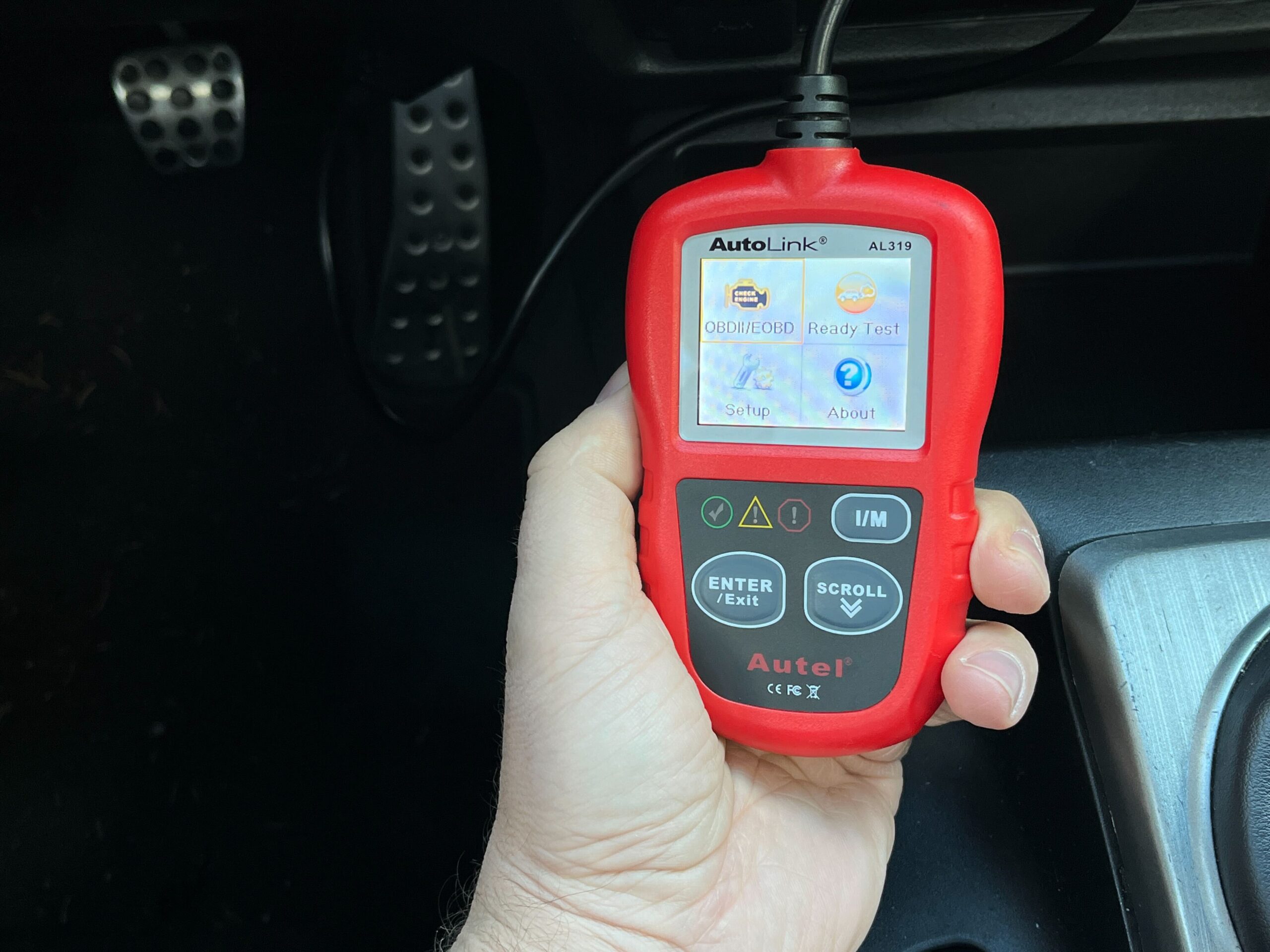
Credit: www.thedrive.com
Use the communication chain to troubleshoot intelligently
When something goes wrong, describe the last successful stage. Did the tool power up? Did the phone connect to the adapter? Did the app establish a vehicle session? Did it retrieve generic data but fail on an enhanced module? Those are different reports and point toward different checks. Save the exact error wording, tool model, software version and vehicle details before making changes. If the adapter connects to the phone but not the vehicle, checking only Bluetooth pairing may waste time. If generic codes work but an ABS menu does not, the next question may be coverage rather than a damaged connector. If a value is present but implausible, verify the parameter definition, units and operating state before blaming the sensor. The scanner troubleshooting guide develops that staged approach. Keep electrical investigation within appropriate service procedures; do not bridge connector pins or probe unfamiliar circuits to force a connection. A diagnostic connector can carry power as well as communication signals.
For a basic owner session, visual inspection and correct setup are different from invasive electrical testing. If the tool or cable is damaged, stop using it and obtain suitable support. A scanner is useful because it makes selected onboard information accessible. Its value depends on a valid communication path and a correct interpretation of what comes back. The device does not create certainty simply by displaying a code in plain language. A good diagnostic record states the source, status and conditions of the information, then links that evidence to the next test. For a practical example, imagine an app that reports a successful Bluetooth connection but lists no vehicle data. The radio link may be sound while the ignition state, selected profile or vehicle-side communication remains unresolved. Now imagine a reader that retrieves engine codes but cannot open a transmission menu. That result establishes more of the chain, yet still does not prove the transmission controller is defective. In each case, the next useful question is narrower than whether the scanner works. Documenting the stage avoids random resets and makes manufacturer support more effective. That is the difference between reading a screen and understanding what the scanner actually did.


Automotive reference information. Confirm specifications in the manual for your exact vehicle. Original replacement guides link to their research sources. About us


