
Buy an OBD2 scanner by defining the vehicle and the job first. A low-cost code reader may be enough to save engine-related codes, while a transmission, ABS or manufacturer-specific task may require different hardware, software and coverage. The words professional, universal and all systems on a listing are not a substitute for a supported-function check. Begin with the vehicle's model year, engine, market and the exact module you want to access.
Then decide whether you need only read functions or a documented service procedure. This guide turns those requirements into a purchase checklist, rather than naming one device as best for every owner. It does not claim that a scanner replaces diagnosis or that a more expensive tool automatically makes a difficult repair suitable for home use.
A sensible purchase is one whose supported functions match tasks you understand and whose limitations you can verify before payment. If the immediate problem is a serious warning or an unsafe running condition, arranging diagnosis may be more useful than waiting for a reader to arrive. Buying a device should solve an information need, not delay necessary attention to the vehicle.
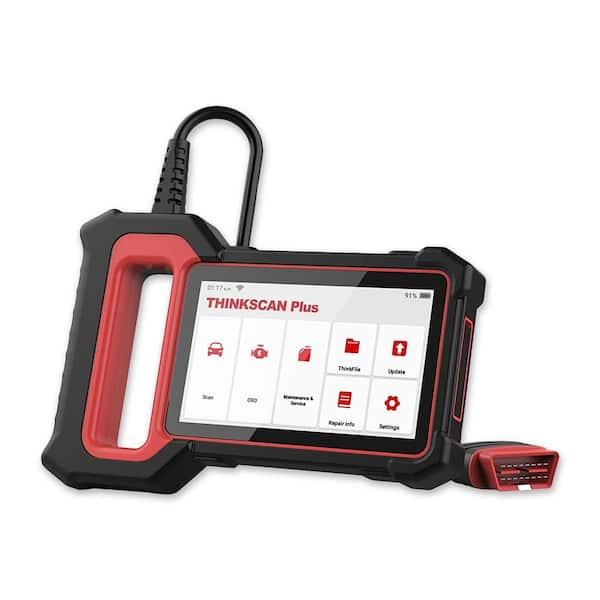
Credit: www.homedepot.com
Write a coverage request that a seller can answer
Put the vehicle identification and intended function in a short written request. For example, asking whether a tool reads generic emissions codes is different from asking whether it retrieves faults from a particular transmission controller. Ask separately about reading, live data, clearing and active tests rather than treating them as one feature.
A product may support one and not another on the same vehicle. Provide the engine and relevant equipment if the coverage tool asks for them. A model family can contain different controllers across years and markets.
If the seller answers only that the connector fits, the important question is still unanswered. Request a manufacturer coverage reference or a manual section that addresses the function. Keep the response with the purchase record.
Do not let a screenshot of another owner's successful scan stand in for your application. Firmware, region and optional software can change the result. OBDLink: adapter and vehicle compatibility FAQ demonstrates why both vehicle market and adapter model matter.
That reference is useful as an example of the information a manufacturer should provide, not as a recommendation to buy every product in that range. Also check whether a security gateway, account or paid authorization is involved for the intended operation. A tool's ability to read a basic code does not establish that it can perform an advanced action behind additional access controls.
If your real purpose is only to understand a new warning, start with the least complicated supported read workflow. Avoid buying key programming, coding or actuator functions merely because they are bundled into a promotion.
Each additional capability needs its own compatibility and training assessment. A clear written requirement protects you from purchasing a long feature list that does not solve the problem you actually have.
Choose the device format around your working conditions
A handheld reader has its own display and controls, while a wireless adapter normally relies on a phone, tablet or computer application. Neither format is automatically better. A dedicated unit can be convenient when several people use the same tool or when a phone is unavailable.
An adapter can make saving and sharing data easier if the app supports those functions, but it adds operating-system and connection requirements. Check the actual supported combination of adapter, app and mobile device. Bluetooth Classic, Bluetooth Low Energy and Wi-Fi are not interchangeable labels.
OBD Auto Doctor: supported adapter connection types documents different connection support across platforms, including restrictions that matter to iPhone users. Do not assume that an inexpensive adapter will work merely because the phone has Bluetooth. Ask whether pairing takes place in system settings or inside the app, and whether the app you want is included or sold separately.
For a wired reader, check cable length, connector access and whether the display can be read comfortably while the vehicle is parked. For either type, consider how reports are saved. A clear export containing code status and vehicle information is more useful than a display that must be copied by hand after each session.
If live data matters, verify that the tool can show and record the parameters needed for your task. A large advertised parameter count can include values your vehicle does not support.
The number alone tells you little about the diagnostic value of the display. Think also about power and storage: the tool should be kept dry, protected from heat and stored without straining its connector.
Do not choose a bulky adapter that obstructs pedals or your normal driving position. Those practical details affect whether the device can be used safely and consistently.
Compare the complete ownership cost and return conditions
Separate the hardware price from software, updates, subscriptions and optional vehicle packages. Ask which functions remain available if a subscription expires. Some products may retain existing capabilities while others depend on an active service; the answer belongs to the exact product terms.
Do not assume that a lifetime claim covers every future vehicle, every feature or replacement hardware. Check the manufacturer's definition and save it. Updates can include bug fixes, added coverage or compatibility changes, but a download cannot supply hardware that the adapter lacks.
Look for an official update process and a support channel before buying. A product with no identifiable manufacturer documentation is difficult to evaluate even if its initial price is low. Foxwell: NT301 official product and manual downloads provides an example of a defined reader model with official documentation and downloads.
Use that level of specificity as a benchmark when evaluating a listing. Verify the return policy for an opened or activated diagnostic tool. If coverage fails on your vehicle, you need to know whether the seller treats that as a return, a support issue or an excluded condition.
Ask about account binding, license transfer and whether a used unit can be registered by a new owner. A secondhand tablet with unavailable updates or a locked account can cost more in effort than it saves in purchase price.
Inspect the included cable, adapters and power accessories; a photo of a complete kit does not prove that every pictured item is included in the offer. Avoid unfamiliar software downloads sent through informal messages.
Use the manufacturer's documented route for drivers, firmware and apps. Keep the invoice and serial information privately for warranty support.
For a broader repair-cost decision, FTC: auto repair basics recommends understanding estimates and the scope of work rather than relying on a single headline figure. The same principle applies here: compare what you will actually receive and be able to do, not just the amount charged today.

Credit: www.amazon.com
Test the purchase against the job before keeping it
When the tool arrives, inspect the model identification and accessories before connecting it. Read the connection and safety instructions and perform an initial read-only session on the intended vehicle. Record whether the tool establishes communication, identifies the expected module and displays the supported information you bought it for. Do not test a service function by running it unnecessarily. An active command that is inappropriate for the vehicle's current condition is not a harmless demonstration. If the reader lacks the promised coverage, save screenshots and contact support while the return window is open. Provide the vehicle details, tool version and exact error message instead of saying only that it does not work. A useful seller or manufacturer should be able to distinguish setup trouble from missing coverage. Test report saving and retrieval as well as the on-screen display. Create a simple acceptance record with four entries: the vehicle tested, the function requested, the result and the file saved. For instance, if your requirement was to view a particular transmission data list, a generic engine-code page does not satisfy that requirement even though the device connected successfully. If your requirement was only to save emissions codes, a basic reader may satisfy it without optional service packages.
This comparison keeps the assessment tied to the original purchase specification and makes a support request much more precise. If you will use the device on a second vehicle, verify that application independently. A successful scan on one car does not prove support for another. Before deciding the purchase has saved money, consider what it actually enabled: perhaps preserving a code report, checking readiness or collecting data for a repairer. Those are useful results, but they are not the same as diagnosing every problem yourself. If the task exceeds the tool or your experience, stop at evidence collection. The scanner feature checklist helps compare specific requirements, while the seller-selection guide addresses purchasing channels. Keep these decisions separate: first establish the function, then confirm the model, then evaluate the seller and terms. That sequence is more reliable than buying the most highly advertised device and hoping its menus match your vehicle. A good purchase should leave you with a supported way to answer a defined question, a record of the coverage promise and a safe plan for using the information. If it does not, reconsider the tool before adding more accessories or paying for another software package.


Automotive reference information. Confirm specifications in the manual for your exact vehicle. Original replacement guides link to their research sources. About us


