
Start with the model number on your Actron scanner, then use its matching manual to connect, identify the vehicle and read diagnostic information before clearing anything. This guide uses the CP9670 AutoScanner as a documented example.
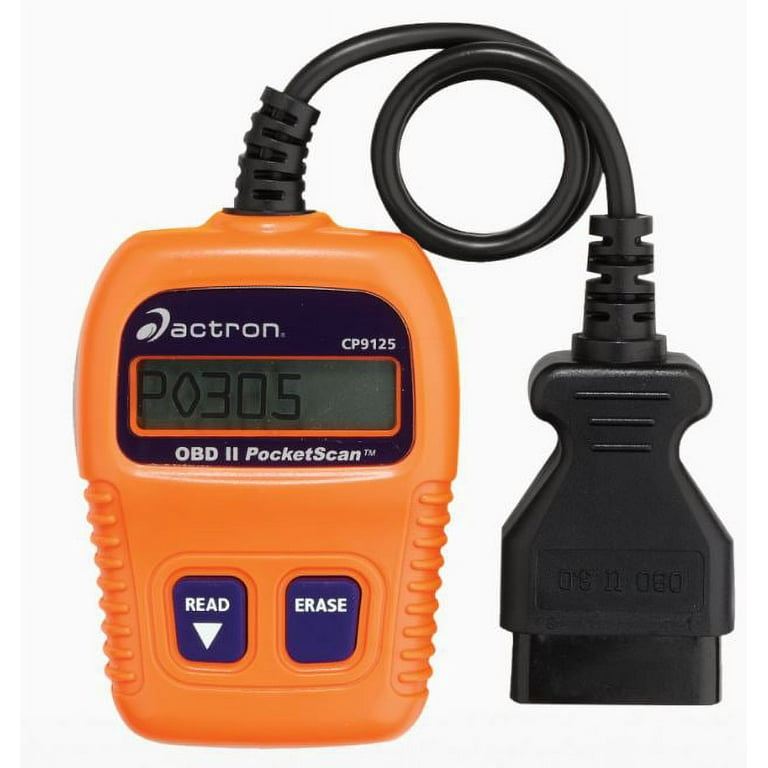
A PocketScan or another Actron product may have different controls and capabilities.
The useful result is a saved report linked to the correct vehicle and operating conditions, not merely a warning light that disappears after an erase command.

Credit: www.youtube.com
Identify the scanner before following a sequence
Check the label, manual revision and software information available on the device. Similar-looking readers can support different functions. The OTC/Bosch: CP9670 capabilities and downloads identifies the CP9670 and its official downloads. Use that documentation for this model rather than treating the Actron brand name as one universal operating procedure.
Define the question you need answered
A check-engine code read, an ABS investigation and a service reset are different tasks. Write down the actual warning and symptom before exploring menus. An ordinary engine scan may provide useful evidence while leaving another controller unexamined. A blank result must be interpreted within the coverage actually used, not presented as a complete vehicle health certificate.
Evaluate suitability rather than assuming a brand advantage
The right reader is one that supports the intended vehicle and task and lets you preserve the relevant evidence. A familiar brand or color display does not establish every function. Confirm the model's documented coverage and support before buying accessories or expecting an update to add capabilities that the hardware was never intended to provide.
Use the CP9670 connection instructions precisely
The cited Bosch/Actron CP9670: official user guide connection section specifies ignition on with the engine stopped before attaching the CP9670, followed by vehicle identification. This sequence must not be copied to a different reader whose instructions differ. Check the manual supplied for your version and the vehicle requirements. If they conflict or the connector appears damaged, resolve that before proceeding.
Keep code text and your interpretation separate
Copy the complete identifier, status and responding module where shown. Then record the symptom in your own words. A code description names a detected condition; it does not establish that the component mentioned in that description must be replaced. The workshop may need circuit, mechanical or operating checks to distinguish the possible causes.
Scan when there is a useful question
A saved baseline can help document a warning or compare a repair result, but scanning is not a substitute for scheduled maintenance. Repeatedly clearing a clean-looking screen provides little useful information. Choose a purpose for each session and retain the conditions so a later reading can be compared meaningfully rather than treated as an isolated verdict.
Credit: www.walmart.com
Check the feature list for the exact application
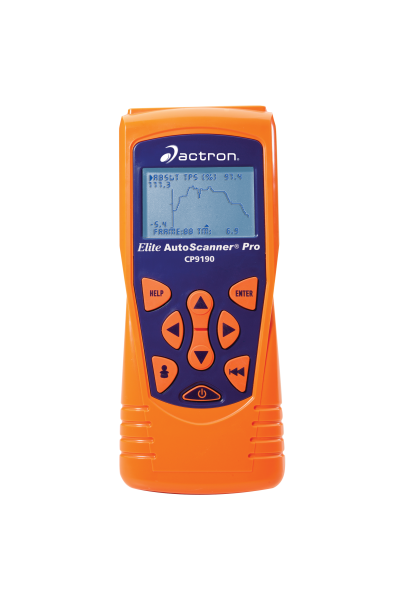
The CP9670 product page lists live-data viewing, recording and graphing, plus defined enhanced capabilities. It does not establish identical support on every vehicle or every Actron model. A feature listed for certain applications should remain limited to those applications. Ask support about the exact year, engine, market and system when coverage is uncertain.
Learn the display without sending commands
Read navigation instructions before beginning a vehicle session. Notice the difference between selecting a view and confirming an action. Do not press through an unfamiliar warning just to see the next screen. If the text is abbreviated, consult the manual's terminology rather than guessing whether a label refers to a code status, monitor result or setting.
A USB port has a different role from the vehicle lead
Computer maintenance and vehicle communication are separate workflows. The presence of a USB connection does not make a handheld reader a wireless adapter or authorize using an arbitrary power source. Follow the model's documented arrangement. Do not install a driver or updater merely because its filename contains Actron; verify the exact supported product.
Distinguish live information from stored information
On the CP9670, View Data and Review Data are different functions. The manual also warns about retained information when switching vehicles. Verify the selected vehicle and collect a fresh record for the current task rather than assuming every displayed item belongs to the car now connected.
Date saved results and label the vehicle clearly. This matters especially for a borrowed tool used on several cars.
Prepare the vehicle and the evidence record
Park securely and follow the vehicle's stationary-use instructions. Keep the lead clear of pedals and moving or hot parts. Any necessary running-engine observation requires appropriate ventilation. Do not operate the reader while driving. If the vehicle has severe symptoms or a stop-driving instruction, address that condition before attempting to gather more data.
Have information ready before connecting
Gather the model year, engine, market, symptom timeline and recent repair history. Prepare a way to save the report. A photograph should be legible and show the full identifier and status, not only a shortened description. Record whether the warning was present during the scan and whether the engine was cold, warm or stopped.
Confirm the intended system is supported
Generic emissions access does not automatically include every transmission, brake, airbag or body function. A physically fitting connector proves only that the plug fits. Check the requested controller and operation explicitly. If the reader cannot access that system, obtain an appropriate tool or professional scan rather than interpreting absence of data as absence of a fault.
Establish communication before interpreting results
The display lighting up is a power observation, not proof of a vehicle session. Confirm identification and the intended diagnostic function. If automatic identification is incomplete, enter only verified information through the supported process. Guessing the engine or model can make definitions and coverage misleading even when the raw code characters appear plausible.
Locate the documented diagnostic socket
Use the owner's information if the connector is not apparent. Do not dismantle unrelated trim or attach the reader to a similarly shaped accessory connection. Inspect accessible contacts visually without probing them. A damaged or loose socket warrants assessment before repeated insertion. Never bridge terminals to force communication or provide improvised power.
Connect without force and preserve the error stage
Align the plug normally and follow the model's stated sequence. If it powers but fails to link, save the exact message. If it does not power at all, report that separately.
Those observations lead to different checks. Do not repeatedly disconnect during active communication as a substitute for the documented troubleshooting process.
Read the full report before acting
Review every available entry in the intended category, including status and module context. A total code count is not enough to explain the vehicle's condition. Keep the original record unchanged and add questions separately. If another person will arrange repairs, give them the actual report rather than a remembered component name.
Use Read Codes for the initial record
The CP9670 diagnostic menu includes Read Codes, with other functions available separately. Begin with the information relevant to the complaint rather than an erase or an unfamiliar test. Capture all displayed details. If a definition is unclear, look it up using the correct vehicle information without altering the stored evidence first.
An electrical code can have several causes
For example, a circuit-related description can require checks of connections, wiring, supply and the component itself. Do not turn the label into a purchase order. Similarly, a performance condition can reflect the system being monitored rather than a defective sensor. Ask what test would distinguish the leading explanations before choosing parts.
Credit: actron.com
Clearing belongs to a defined repair process
Save the initial information and understand why clearing is required before selecting it. An erase can remove context and reset readiness. The California BAR: OBD test reference distinguishes inspection-related data and permanent-code behavior within its program. Follow the actual vehicle procedure and local requirements rather than assuming an empty list proves a successful repair or inspection readiness.
A dark check-engine lamp is one observation
A lamp that goes out after erasure does not establish that the original condition has been corrected. Monitoring may need relevant operating conditions before detecting it again. Record what repair was completed and how it was verified. Do not keep resetting a returning warning merely to make the dashboard look normal.
Compare the repair result with the original complaint
Retain the before-and-after reports as separate records. Note whether the symptom recurred and whether the same code status returned. A short idle without a warning may not reproduce an intermittent road condition. Verification should follow the repair procedure and acknowledge what was or was not tested.
Advanced menus require a specific purpose
A menu's presence is not permission to experiment. Commands that operate components or change settings can have prerequisites beyond a basic read. Keep the first owner session focused on evidence collection. If a procedure requires advanced functions, obtain the correct instructions and qualified assistance rather than treating them as another harmless display screen.
Make live data answer one question
Choose a small set of relevant supported parameters and preserve their units and operating conditions. A percentage can represent a calculated value rather than a physical opening.
Do not compare unlike fields simply because they share units. Confirm that the screen is live and updating.
For a broader interpretation method, see reading OBD2 live data.
Freeze frame describes an earlier event
A freeze-frame record is different from current live data. Keep its associated code and conditions together.
Do not call an old temperature or speed the vehicle's present state.
If no event record is available, state that limitation.
The absence of one does not justify inventing how the car must have been operating when the warning appeared.
Maintain the reader without losing useful reports
Before tool maintenance, preserve information you still need and record the model and version. Follow only the official supported process. A device reset, a software update and vehicle-code erasure have different effects. Read confirmation messages carefully so an attempt to fix a tool setting does not unintentionally change diagnostic evidence.
Update only through a verified model-specific route
The CP9670 product documentation describes USB updating, but current availability and computer requirements should be confirmed before attempting it. Do not assume a newer scanner's package supports an older model.
Save version information and any error message. If the documented update fails, contact support rather than trying unrelated firmware.
Protect the cable and connector between sessions
Store the device dry and avoid sharply bending or pulling the lead. Inspect it before reuse.
A visibly damaged plug or exposed wiring should not be connected merely because it worked last time. Keep the matching instructions with the reader.
A borrowed unit should be returned with personal reports handled according to the owner's agreed process.
Troubleshoot the stage that actually failed
Separate power, vehicle identification, communication, data availability and interpretation. Changing every setting at once makes the result difficult to explain. Record the last successful step and the effect of one documented correction. A no-link message is not an engine fault code and should not be interpreted as proof that a controller has failed.
Coverage can explain an inaccessible module
If generic engine data works but another system does not appear, check the exact coverage before inspecting vehicle electronics. Conversely, a confirmed coverage match does not rule out a physical or operating-state issue. Use the manual's troubleshooting route and preserve the error. Do not force access through undocumented pin or software changes.
Validate an implausible reading before replacing anything
Check the parameter identity, unit, vehicle selection and whether the data is current. A stale saved record can look convincing. Compare like-for-like conditions using appropriate service information. If a field remains unexplained, report it as an observation needing assessment rather than assigning a failed part from one surprising number.
A useful Actron session ends with clear evidence
Identify the model, follow its connection instructions, confirm the vehicle and preserve a complete initial report. Distinguish live data, freeze frame and retained records.
Use clearing only within a justified repair process and keep advanced commands separate from casual exploration.
The reader helps narrow the next diagnostic question; it does not replace the evidence needed to confirm the cause.


Automotive reference information. Confirm specifications in the manual for your exact vehicle. Original replacement guides link to their research sources. About us


