
To use a Kobra-branded OBD2 scanner safely, first identify the exact device and its documented connection method. Do not assume that every product sold under that name uses the same app, wireless transport or button sequence.
This review could not authenticate a model-specific Kobra manufacturer manual, so it does not present guessed menu names, pairing codes or coverage promises. The practical route is to establish what you own, obtain its matching instructions and make an initial read-only scan.
The general checks below help organise that process without pretending to replace missing product documentation.
Record the label before attempting setup
Photograph the model number, revision and connection markings on the device and packaging. Keep the seller's original listing or receipt where available. A product name alone may not distinguish a handheld reader from a phone adapter, and a similar case colour is not reliable evidence that two units share the same electronics or instructions.
Separate confirmed information from advertising
Create a short list of what the label or supplied manual actually states: connection type, supported phone system, application name and vehicle coverage. Leave unconfirmed features blank. This prevents a marketplace description for another variant from becoming an assumed capability during diagnosis, particularly for ABS, airbags or manufacturer service functions.
Determine whether a phone is involved
A device with its own display may operate without an app, while a small adapter may need one. Follow the identified product's instructions rather than searching randomly through app stores. If no reliable instructions can be obtained, resolve that with the seller or choose a documented tool before connecting an unknown device to the vehicle.
A first scan should preserve information
Once the device and compatibility are established, begin with vehicle identification and code reading. Save the full result before any erase operation. Record whether the tool is reading the engine's standard emissions information or another explicitly supported module, because the meaning of an empty report depends on the system actually checked.
Keep code interpretation independent of branding
A code description is a lead to a vehicle diagnostic procedure, not proof that a named component needs replacing. Use the complete alphanumeric code and vehicle details when researching it. A Kobra label does not change that limitation, and a confident app description should not replace testing the possible causes.
Do not clear codes just to test the device
A successful erase command is not a useful first compatibility test. It can remove the initial diagnostic record and reset monitor readiness.
Confirm basic communication through a read-only result instead. If the only instruction available tells you to clear immediately, seek better documentation before sacrificing information that may be needed for repair.
Credit: kobraproducts.net
Build a model-specific setup checklist
Use the information you have verified to list the necessary vehicle state, connection route and application. Mark any unresolved item explicitly. The checklist should make uncertainty visible rather than hide it behind a universal instruction such as pair the scanner, which means different things for different transports.
Check what was supplied
Compare the device, cable and documentation with the identified package contents. A missing cable or unreadable label can explain why setup does not match online instructions. Do not substitute a random adapter simply because it fits physically; establish its intended function and compatibility before using it on a diagnostic connector.
Confirm the documented power arrangement
Inspect the external connector and cable for damage without opening the housing. Follow the specified connection and ignition sequence. If the device fails to power, do not bridge vehicle fuses or probe socket pins to improvise a supply. Power troubleshooting should follow the vehicle and tool documentation.
Check vehicle coverage before pairing
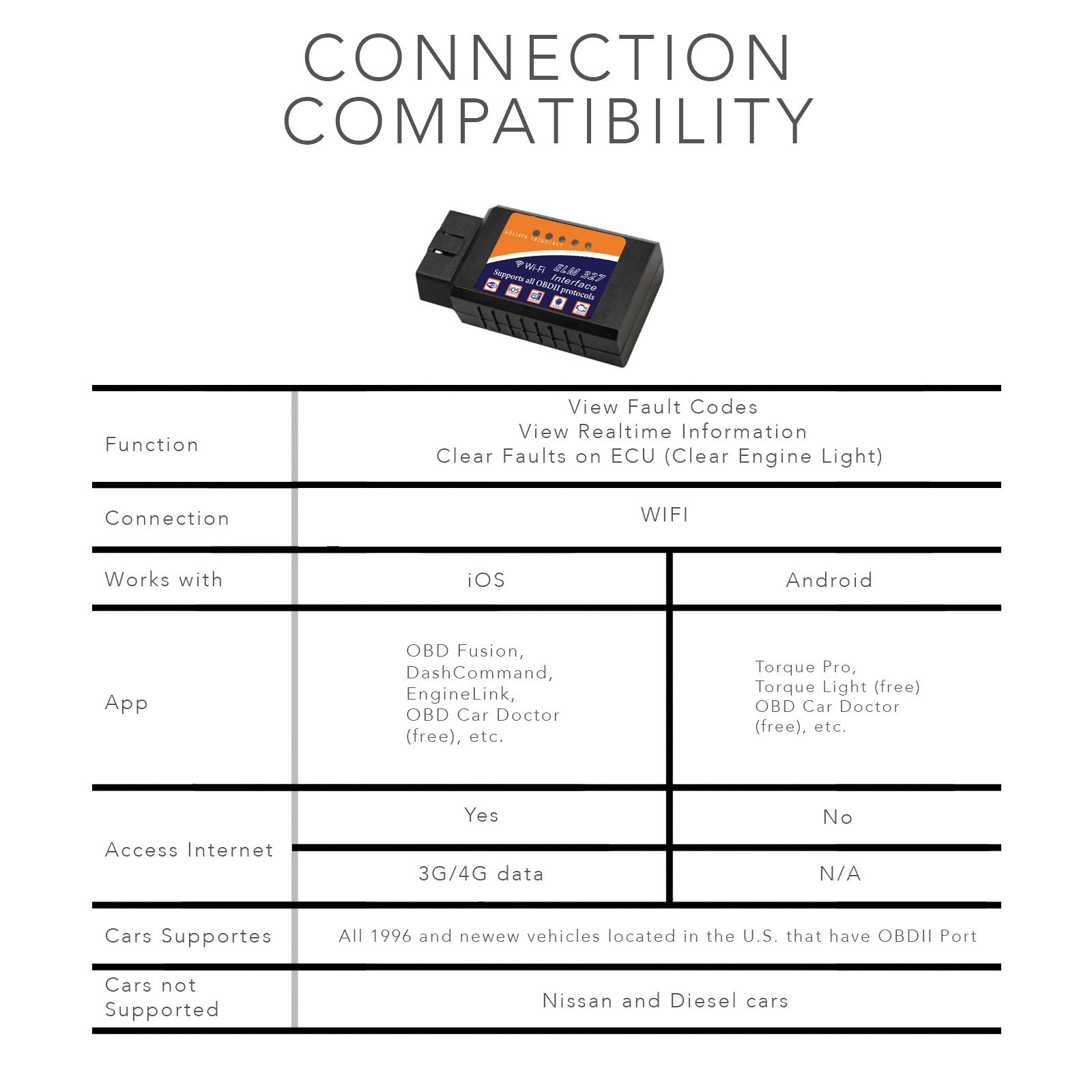
Wireless compatibility with a phone is separate from communication with a vehicle. Confirm the vehicle type, model year and market against the device documentation. A familiar diagnostic plug does not establish support for every controller, and connecting to a phone cannot add missing vehicle-protocol or module coverage.
Choose the correct connection category
Read whether the identified device uses Wi-Fi, conventional Bluetooth, Bluetooth Low Energy or a cable. These are not interchangeable app settings. A phone's media-device menu may be irrelevant to a diagnostic app using a different connection route. Do not infer the transport solely from a small blue status light.
For Android, use the documented accessory method
Google’s Android Bluetooth guidance explains the operating system's accessory pairing and saved-device controls, while noting that steps vary with version and hardware. Apply that guidance only when the identified adapter actually uses that pairing method.
This article does not assign a universal Kobra passcode or claim that a successful phone pairing proves vehicle communication.
For iPhone, distinguish permissions from compatibility
Apple’s local-network permission guidance explains how apps request and manage access to nearby network devices.
A denied relevant permission can matter for a supported app, but allowing it cannot make unsupported hardware compatible.
Confirm the intended app first.
Do not grant unrelated permissions or disable device security merely because a seller's generic setup note says connection failed.
Verify each stage of communication
Write down whether the phone sees the adapter, whether the application recognises it and whether the vehicle responds. These are different checkpoints. If the first stage fails, changing vehicle-code settings is unlikely to help. If the final stage fails, joining a different phone network is not automatically the answer.
Retrieve and save the original fault report
When a supported connection works, save codes with their status labels and any available vehicle identification. Keep screenshots that include the whole message. A cropped description may omit a code suffix or status that changes its interpretation, leaving a later technician with less useful evidence than the original screen contained.
Treat erasure as a separate repair decision
Only consider clearing after the diagnostic information is preserved and the reason for clearing is understood. A recurring warning should be investigated rather than repeatedly erased. The scanner's ability to send a command does not establish that the command is appropriate for the current complaint.
Check what live data is actually supported
The OBD Auto Doctor parameter reference explains that both software and vehicle support determine available standard parameters. This is a general diagnostic principle, not a Kobra feature claim. A missing pressure or temperature field therefore cannot be used alone to declare a failed sensor or a defective adapter.
Do not infer advanced functions
Reading generic engine codes does not establish ABS access, airbag access, actuator control or coding. Each function needs specific coverage evidence. Avoid experimenting with a menu whose purpose is unclear, particularly when it can command a component or change a controller setting rather than merely display information.
Ask a precise coverage question
When contacting the seller or support, provide the model label and the exact vehicle information. Ask whether the unit can perform the particular read function needed, and request the matching manual. A reply saying compatible with most cars is not enough to confirm a specific module or operation.
Keep custom settings to a minimum initially
Start with the documented configuration and a simple supported read operation. Do not import another user's protocol settings or custom commands because their adapter looks similar. Establishing a basic working baseline makes later troubleshooting more informative than changing several unknown settings before the first successful scan.

Credit: www.amazon.com
Diagnose connection problems methodically
Record the error wording and the stage at which it occurs. Note the phone system, app version, adapter identification and selected vehicle profile. This compact record is more useful than repeatedly uninstalling the app without knowing whether the fault is wireless discovery, adapter recognition or vehicle communication.
Do not install unverified firmware
This review has not established an authenticated Kobra firmware source for an identified model. Do not use a file intended for a visually similar adapter or another brand. If an update is claimed to be mandatory, verify the source and exact model applicability before allowing it to alter the device.
Use Wi-Fi guidance only for a verified Wi-Fi model
Car Scanner’s Wi-Fi setup guide separates joining the adapter network from configuring the application and says network settings must match the adapter documentation. That workflow illustrates why a guessed address is unreliable.
It does not establish that every Kobra product works with Car Scanner or that every variant creates a Wi-Fi network.
Make the first result useful
After obtaining a valid report, write the symptom and operating conditions beside it. An engine code captured after a cold start may need different investigation from an intermittent warning during acceleration. Preserve the distinction between what the tool reported and what you suspect caused it.
Keep the session safe and stationary
Arrange the cable or adapter so it cannot interfere with pedals, and follow the vehicle's instructions for the required ignition state. Run an engine only with adequate ventilation. Do not hold or watch a phone while driving in an attempt to make a connection problem reproduce.
Choose a documented alternative when identification fails
If the seller cannot supply reliable instructions or the unit cannot be identified, borrowing a known compatible reader or obtaining a professional scan may be the most efficient next step. This is especially important for safety-system warnings.
Repeated guessing does not turn uncertain hardware into a verified diagnostic tool.

Credit: www.amazon.com
The useful answer starts with identification
Use the exact model's instructions, verify the connection stage and save a read-only report before changing anything. The missing authenticated Kobra manual limits product-specific claims here, so no universal PIN, menu sequence or advanced capability is promised.
For interpretation after a valid scan, see how to read an OBD2 report.


Automotive reference information. Confirm specifications in the manual for your exact vehicle. Original replacement guides link to their research sources. About us


