
An OBD2 Wi-Fi scanner usually combines an adapter plugged into the vehicle with a phone application. To use it, join the adapter's wireless network, select the matching connection type in the app and establish communication with the vehicle.
These are separate steps: a connected Wi-Fi icon does not mean the engine controller has answered. Start with the adapter's exact model instructions because network names, passwords, addresses and supported apps differ.
This guide explains the connection layers and a read-only first scan without inventing a universal password or promising access to every vehicle system.
Understand the connection you are building
There are two links to verify: phone to adapter, then adapter to vehicle. The first is a wireless-network connection; the second is diagnostic communication. If an app reports that it found the adapter but cannot reach the ECU, changing your home router settings will not resolve the vehicle-side problem.
Wi-Fi is the transport, not the diagnostic coverage
The word Wi-Fi describes how data travels to the phone. It does not establish whether the adapter and software support emissions codes only, live parameters or manufacturer modules. A wireless connection can work perfectly while a requested ABS or airbag function remains unsupported.
Identify what you want to retrieve
Choose a specific first objective, such as saving a check-engine code or viewing supported coolant-temperature data. That objective determines whether the app and adapter combination is suitable. A colourful dashboard is not evidence that the product can perform a required manufacturer diagnostic test.
How the phone receives vehicle information
The app sends a supported request through the adapter and displays the reply. The vehicle remains the source of controller data. A stalled connection, unsupported request or paused display should not be interpreted as a physical sensor measuring zero; establish that fresh replies are arriving first.
Check the model before downloading apps
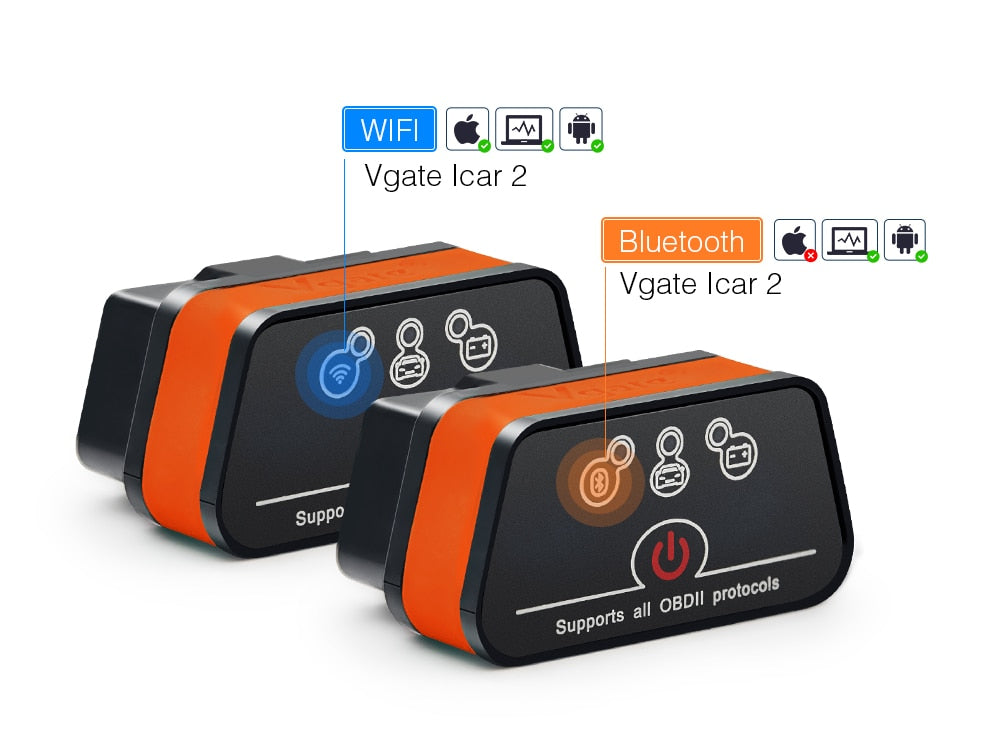
Read the label and documentation for the exact adapter revision. Some product families sell Bluetooth and Wi-Fi versions under closely related names. Installing an app listed for a different radio version can waste time because the connection menu and phone compatibility may be completely different.
Decide whether a phone adapter fits the job
A Wi-Fi adapter can be convenient for recording a small data set or saving a report on a phone. A standalone reader may be simpler when network switching is inconvenient. The decision should follow the supported diagnostic function and working conditions rather than the number of gauges shown in advertising.
Prepare a stable first session
Park the vehicle and make the first connection while stationary. Keep the adapter, phone and instructions within reach without obstructing pedals or controls. Avoid beginning with a road test: connection setup often requires attention that should never compete with driving.
Confirm vehicle coverage separately
Check the supported vehicle type, market and year against the documentation. A familiar diagnostic connector does not guarantee every vehicle protocol or module is covered.
If the vehicle is outside the documented range, a successful wireless join cannot compensate for that missing compatibility.
Learn what the status messages mean
Look for separate indicators for wireless connection, adapter recognition and ECU communication. Their names vary by app.
Save the exact message when one stage fails so troubleshooting starts at the failed stage rather than repeating unrelated steps.
Account for software features and charges
Verify whether the required function is available in the installed version.
A free app may display a connection and list supported fields while limiting recording or exported reports.
Check the developer's current feature information before buying hardware around an assumed function or subscription arrangement.
Match adapter, phone and application
Compatibility is a three-way requirement. The phone must communicate using the adapter's transport, the app must support that adapter and the vehicle must support the requested data. A recommendation naming only a car model and an adapter brand omits too much information to guarantee success.
Check the vehicle requirement
Use the owner's information and adapter coverage documentation to establish the diagnostic system. Do not infer OBD2 compatibility solely from model year across every country. Vehicles sold in different markets can follow different introduction dates and requirements even when their badges are the same.
Use a supported application
Install the app through the developer's recognised distribution route and check the connection instructions for your operating system. Avoid unknown files presented as mandatory drivers for a phone adapter. If the seller cannot identify a supported app and manual, resolve that uncertainty before connecting the device.
Compare the complete working cost
Consider the adapter, software access, enhanced coverage and any required accessories together. A cheap adapter that cannot read the module you need is not a substitute for a supported tool.
Likewise, paying for more dashboard graphics does not expand vehicle support unless the developer explicitly documents it.

Credit: www.amazon.com
Connect in the documented order
Use the vehicle and adapter instructions for the ignition state when plugging in. Align the connector gently and ensure it is seated without force. Then set the vehicle to the operating state required for communication; accessory mode and ignition-on mode are not necessarily equivalent.
Avoid an unstable power situation
A phone showing a strong signal does not prove the adapter has a stable supply. If the adapter repeatedly restarts or disappears, stop interpreting data and investigate the connection or power issue.
Do not insert wires into diagnostic pins or bridge a fuse to keep a session running.
Grant only the permissions the app needs
Modern phone systems may ask for local-network access or other connection permissions. Follow the app developer's explanation for the operating system you use.
If a permission was denied, review that setting specifically instead of disabling broad device-security features as a generic troubleshooting step.
Join the adapter network, then configure the app
Car Scanner’s Wi-Fi instructions separate joining the adapter network in phone settings from selecting Wi-Fi inside the application. They also explain that the adapter address and port must match its documentation.
Do not assume a commonly quoted address works for every unit.
A warning that the adapter network has no internet can be expected because its purpose is local diagnostic communication, not web access.
Read and save before clearing
Once communication is established, save the complete code report with status categories and available freeze frame. Wireless convenience makes it easy to share a report, but confirm that the exported file contains the actual code numbers. A screenshot showing only a shortened description may omit information needed later.
Distinguish module and code category
A generic emissions report is not an all-system health certificate. Stored, pending and permanent categories have different meanings, and manufacturer modules may require separate coverage. Record which controller supplied the result so a blank engine-code screen is not mistaken for proof that an airbag warning is harmless.
Use descriptions as starting points
A description naming a sensor or circuit identifies the condition the controller detected. It does not automatically identify the failed component. Consult the diagnostic information for the exact vehicle before buying parts, particularly when several codes may share a supply, wiring or operating-condition cause.
Choose the next test from evidence
Pair the code report with the symptom and its timing. A cold-start complaint, a warning after repair and a fault appearing under load are different investigations. The useful output is a documented next test rather than an immediate erase command intended only to make the dashboard look normal.
Credit: modeautoconcepts.com
Use a small data set for a clear question
Select a few relevant parameters rather than every available gauge. This makes their timing and relationship easier to understand. The live-data interpretation guide explains why units, operating conditions and parameter definitions matter more than comparing isolated numbers.
Keep reports tied to the vehicle
Name saved files with a date and vehicle identifier that you recognise. Separate before-repair and after-repair captures. If the phone is used with several cars, verify the profile and report header every time so a previous vehicle's playback is not mistaken for a fresh reading.
Check support before judging a missing gauge
The OBD Auto Doctor parameter reference explains that the vehicle and software must support a parameter for it to be available. An absent field therefore does not diagnose a failed component. Check the app's supported-data list and the vehicle's response before assuming the adapter is defective.
Update deliberately
Use official app updates and model-specific adapter instructions where firmware updates are supported. Do not install firmware intended for a similar-looking device. Record the current version before troubleshooting a repeatable issue so support can distinguish a software change from a vehicle-side communication problem.
Troubleshoot the failed layer
Return to the last stage that definitely worked. If the adapter network is missing, focus on adapter power and the documented wireless mode. If the network is joined but the app sees no adapter, focus on connection type, permissions and the documented network settings.
When the phone keeps leaving the network
Check whether the phone is automatically switching away from a network without internet. Follow operating-system and app guidance for staying on the intended local network during the diagnostic session.
Do not alter unrelated router or cellular settings permanently; restore normal connectivity after the scan is complete.
When the adapter responds but the vehicle does not
Verify the required ignition state, vehicle compatibility and selected profile. Keep other diagnostic apps closed so they do not compete for the same adapter.
If communication still fails, save the error and consult support rather than repeatedly changing protocol settings without a reason.
When the app displays implausible or frozen values
Confirm that the screen is live rather than a saved recording. Check units and whether the parameter is supported.
Restart a read-only session according to the instructions if the display is stuck.
A frozen display alone is not proof that the corresponding sensor has stopped changing physically.
End the session cleanly
Save the report before disconnecting and follow the adapter instructions for removal. Do not assume a sleep feature guarantees that leaving the device connected is appropriate indefinitely. Consider battery use, vehicle guidance and whether the adapter would remain accessible to another nearby device.
Do not confuse connection reset with code erasure
Rejoining Wi-Fi or restarting the phone app is a communication action. Erasing vehicle codes is a command to the controller and may remove diagnostic evidence. Keep those operations separate when troubleshooting, because deleting faults does not repair a wireless connection.
Inspection readiness remains a vehicle issue
California BAR’s OBD reference explains the special retention of permanent codes. Reconnecting a Wi-Fi adapter does not make readiness monitors complete or force a permanent code to disappear. Follow the relevant vehicle repair and inspection requirements rather than treating an app's clear button as an inspection shortcut.
Know when the job needs another tool
If the required module or test is unsupported, stop trying different connection combinations as though coverage were a signal-strength problem. Use a tool explicitly covering the vehicle and function or obtain professional diagnosis.
A successful basic scan is useful evidence, but it does not justify unsupported service commands.

Credit: www.autonationmobileservice.com
A successful first scan is reproducible
You should be able to identify the adapter model, app version, network settings source, vehicle profile and saved result. That record makes the next session easier and any fault easier to explain.
Establish each communication layer, preserve the report and interpret only the information the vehicle actually supplied.


Automotive reference information. Confirm specifications in the manual for your exact vehicle. Original replacement guides link to their research sources. About us


