
On an OBD2 readiness screen, INC usually means incomplete: the vehicle has not completed the relevant monitor's evaluation since the applicable reset. It is a status, not a diagnostic trouble code and not proof that the monitored component has failed.
First confirm that you are looking at the readiness screen and check the scanner's legend. Abbreviations vary. Record the monitor name beside INC, because an incomplete catalyst monitor and an unsupported monitor are not the same result.
Do not clear codes just to remove the label. A reset can make readiness incomplete again and remove information needed to understand a fault.
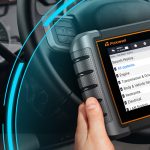
Credit: www.toyotanation.com
What readiness is reporting
An emissions monitor is an onboard check that runs under its required conditions. Its readiness state describes whether the evaluation has completed, rather than providing a general certificate that the entire car is healthy.
Think of readiness as the availability of a test result. An unfinished evaluation and an evaluation that detected a fault are different things. You need the monitor status and the diagnostic-code information to understand the overall picture.Completion versus diagnosis
Readiness does not replace inspection of a running problem. A car that stalls or leaks fuel needs assessment even if its monitors are complete. Conversely, an incomplete monitor alone does not tell you that the car must have a mechanical symptom.Supported versus unsupported monitors
Some monitors do not apply to a particular vehicle. A label such as unsupported or not applicable should be interpreted using the tool's legend, rather than treated as another incomplete test that you must force to run.Why INC can appear
The most useful first question is whether diagnostic information was recently reset. Ask about battery work, a code clear or recent repair before assuming that a new component has failed.
A reset can remove completed status
EPA: OBD inspection readiness guidance addresses monitor readiness and resets in inspection programs. The general point is that the system may need suitable operation after a reset before its evaluations are complete; elapsed time alone does not guarantee that result.
If only one monitor remains incomplete, identify that monitor and its enabling conditions. Another monitor completing does not prove that all the conditions for this one have occurred.
What INC does not mean
It is not an instruction to replace a catalyst, oxygen sensor or evaporative-emissions component. The monitor's name describes the area evaluated, not the part that must be purchased.
It also does not guarantee that the vehicle will pass an emissions inspection once the label changes. Codes, warning-lamp status and local program requirements are separate considerations.
An incomplete result should be explained with the reset history and the vehicle's monitor requirements. Avoid substituting a generic mileage target for those conditions.
For example, a vehicle used only for short trips may not encounter the conditions needed for a particular evaluation. That is a reason to consult the procedure, not to improvise aggressive driving.
Keep a screenshot before taking action. It should show which monitors are complete, incomplete or unsupported and the date of the reading.
Before an emissions inspection
Check the official inspection program's current requirements for your location and vehicle. This article does not prescribe how many incomplete monitors are allowed, because that is not universal.
Read the full status report
A readiness summary should be considered alongside stored and pending codes and the malfunction-indicator status. If a garage recently repaired the vehicle, ask whether readiness was verified afterward and whether any follow-up was recommended.
Do not erase information to hide a warning
Clearing a code is not the same as repairing the condition that caused it. It can also restart readiness work. Save the evidence and diagnose the fault rather than trying to make the screen temporarily look clear.

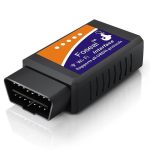
Credit: www.foxwelldiag.com
If a monitor stays incomplete
Begin with the correct year, engine and market information. Read the specified enabling conditions and check whether any known fault or operating condition prevents the evaluation from running.
Conditions before distance
A prescribed temperature state, fuel-level condition or operating sequence may matter for some monitors. Use the requirements for the exact application; do not copy another model's drive cycle or fuel-level target.
When further diagnosis is needed
If the specified conditions have been met and readiness still does not complete, a technician may need to investigate inhibiting faults or application-specific guidance. Record what was actually attempted so the same steps are not repeated without purpose.
How to read the screen accurately
Innova 3160b scanner manual explains scanner status displays and monitor functions. Use the instructions for your own model, especially if it offers more than one readiness view.
Check whether the screen refers to readiness since codes were cleared or to a current driving cycle. Those views answer different questions and should not be compared as if they were the same report.Save a useful readiness record
Save the monitor names and statuses, the scan date, any recent reset and the vehicle identification. Add stored or pending codes in a separate note. This makes the record understandable to an inspection station or repairer.Keep codes separate from status labels
INC is not a code such as a letter followed by digits. If the scanner also lists a diagnostic code, retain its exact wording and status. Do not assume that the adjacent monitor label identifies the cause of that code.Avoid unnecessary changes to the car
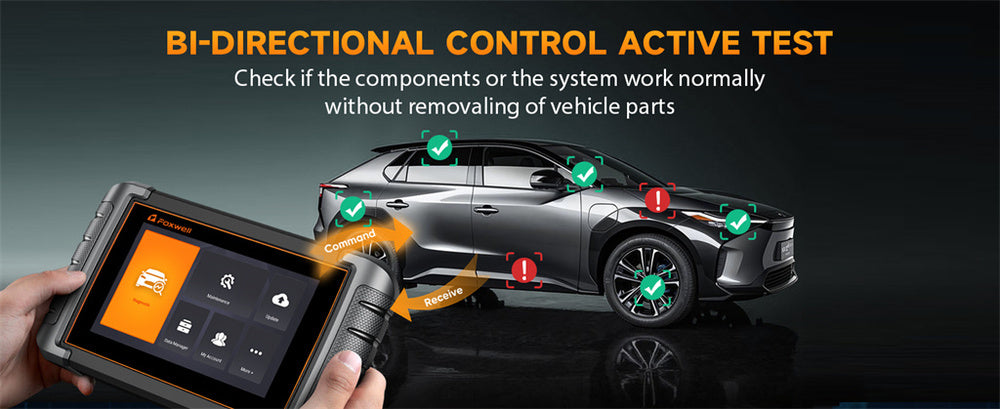
Reading readiness is an observation. Clearing codes, resetting adaptations and commanding components are different operations. Stay within the read-only functions unless a valid diagnostic or repair procedure calls for more.
Tool coverage and labels
Confirm that the tool supports the vehicle's emissions system and that its manual explains the readiness symbols. A missing menu item may be a tool limitation rather than evidence that the car lacks the system.
If communication is unreliable, resolve it before comparing monitor states. See scanner connection checks for the distinction between power, linking and feature coverage.
A second compatible tool can help resolve a display question, but neither tool can make a vehicle monitor complete merely by reading it.
Repeat checks without resetting
After the appropriate safe operation or repair, read the status again and compare it with the saved record. Preserve the date and whether any reset occurred in between.
If a technician recommends a drive cycle, request the vehicle-specific procedure and its safety conditions. Do not attempt instructions that require unsafe speeds or maneuvers on public roads.
Updating scanner software may improve coverage. It does not substitute for the vehicle completing its own monitor evaluation.
If the label's meaning remains unclear, send the tool manufacturer the exact model and screen wording. That is more reliable than interpreting an abbreviation out of context.
Common owner questions
The same few misunderstandings cause unnecessary parts replacement and repeated resets. Keep the following distinctions in mind when deciding the next step.
Does driving farther always fix INC?
No. Distance without the required conditions may not complete the monitor. Use the applicable procedure and investigate persistent incompletion when those conditions have genuinely been satisfied.
Does complete mean every component is good?
No. Completion means the evaluation ran. Read the code and warning information as well, and investigate any actual symptoms independently of the readiness summary.

Credit: www.foxwelldiag.com
The next useful action
Identify the monitor, save the report and check reset history. Then consult the vehicle's enabling conditions or ask the workshop to explain why the monitor has not completed.
For interpreting changing sensor readings rather than readiness, use our OBD2 live-data guide. Those readings can support diagnosis, but they are not the readiness result itself.
Keep the distinction clear: incomplete is a missing evaluation result, not a component verdict.


Automotive reference information. Confirm specifications in the manual for your exact vehicle. Original replacement guides link to their research sources. About us