
A Foseal OBD2 adapter must be set up according to its actual connection type. A Wi-Fi version and a Bluetooth Low Energy version do not use the same phone connection process, even though both plug into a diagnostic socket.
Identify the label and supplied manual before changing app settings. The manufacturer-authored documents used here are the Foseal Wi-Fi manual and Foseal BLE manual, both available as Amazon-hosted copies.
They are evidence for those documented versions, not a guarantee that every device sold under the name is identical. Match your unit to its instructions and obtain current clarification from its seller or maker if anything differs.
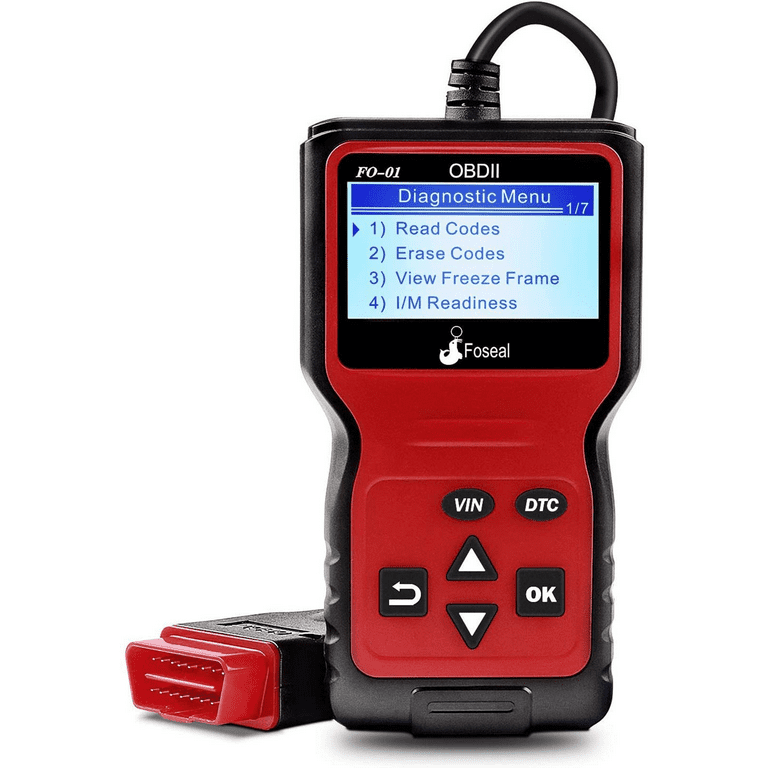
Credit: www.walmart.com
Start with the adapter identity and intended task
Write down the exact product identification, phone operating system and chosen app. Then identify the vehicle and the question you want answered. An emissions-code check is different from an ABS scan or a service reset. The older manuals include app examples, but their screenshots should not be assumed to match today's releases. Use the current app developer documentation together with the adapter's instructions. A connection problem is much easier to resolve when these details are known.
Confirm what was supplied
Inspect the adapter and retain its packaging or invoice for identification. Check whether the documentation describes Wi-Fi, Bluetooth Classic or BLE rather than relying on a seller's generic wireless label. Do not assume the vehicle itself needs built-in Bluetooth; the relevant wireless connection is between the adapter and the phone. If the supplied document does not match the device, resolve that discrepancy before attempting unfamiliar connection or erase steps.
Connect the hardware as its manual specifies
Park securely and follow the exact adapter and vehicle instructions for insertion and ignition state. The Foseal documents are not identical in their connection wording, so do not combine parts of different versions into a guessed sequence. Keep the unit clear of pedals and avoid forcing the connector. A power indicator establishes that the device has some power; it does not prove a completed link to the engine controller or a valid diagnostic report.
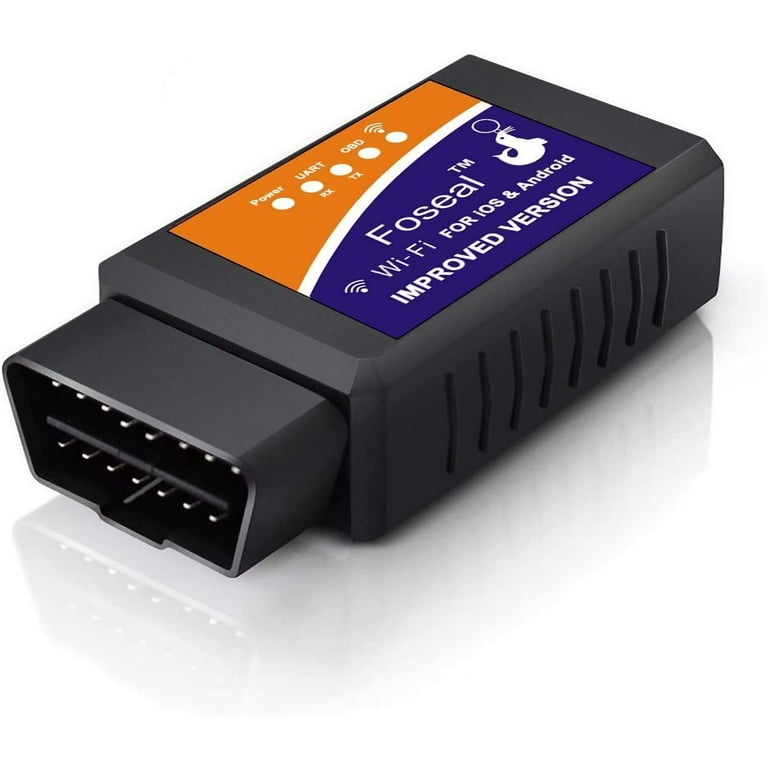
Credit: www.walmart.com
Read the result as vehicle information
Once a supported connection is established, preserve the full diagnostic record. EPA guidance on onboard diagnostics explains the emissions-monitoring context. A code points to a detected condition rather than proving a specific replacement part. Record your actual symptom separately from the app's explanation. That distinction prevents a simplified label from becoming an unsupported diagnosis when the information is passed to a repairer.
Keep code status with the identifier
A pending record and a stored record should not be collapsed into one undifferentiated fault list. Save the complete code and the status supplied by the app. If the app lacks a description, use the correct vehicle definition instead of filling it in from memory. A later scan with no retrieved codes does not necessarily recreate the conditions under which the earlier warning appeared, so retain the first report.
Do not let a suggested cause become a parts order
An app may translate a code into plain language or offer likely causes. Those suggestions still need the applicable tests. For example, a sensor-related description can involve the sensor, its circuit or the condition it is reporting. An adapter cannot inspect wiring or prove mechanical condition through a short code description. Ask what test would distinguish the possibilities before authorizing replacement.
Choose an app that supports the connection
There is no need to invent a universal Foseal app or a shared pairing PIN. The documented adapters are used with compatible third-party applications. Confirm that the chosen app supports your adapter type and phone platform. OBD Auto Doctor’s adapter guide shows why connection technology and operating system matter. A suitable app for one Bluetooth device may not support a Wi-Fi unit or a different Bluetooth implementation.
For Wi-Fi, distinguish the adapter network from internet access
The documented Wi-Fi version requires the phone to join the adapter's network and the app to use its Wi-Fi connection method. Use the network identity and settings supplied for your actual unit rather than copying an address from another model.
The adapter network is a diagnostic connection, not proof of internet service. If a phone changes networks automatically, note that behavior.
A lost local connection can otherwise look like an intermittent vehicle fault.
For BLE, use the app developer’s current discovery route
The documented BLE version includes app-based connection examples.
The Car Scanner FAQ also distinguishes supported iOS BLE connections from ordinary Bluetooth pairing assumptions.
Follow the instructions for the application actually installed.
Do not repeatedly enter guessed PINs or select a nearby device merely because it has a familiar name.
Confirm the correct adapter, permissions and connection type.
Save the exact error if discovery fails so support can distinguish phone setup from vehicle communication.
Separate discovery from a completed diagnostic session
A phone can find the adapter while the adapter still cannot communicate with the vehicle. Treat those stages independently. Record whether the network or wireless device was found, whether the app connected to the interface and whether the vehicle link completed. Changing all settings simultaneously makes it harder to identify the resolved stage. If a particular correction helps, document it before trying something else.
Do not label a generic engine scan a full-system inspection
The BLE document expressly limits its ABS access, and neither a generic engine connection nor an app dashboard establishes universal module coverage. A warning in another system may need a different supported tool. If the application offers additional profiles, verify the exact vehicle and function rather than assuming every visible menu is usable. A no-code engine result cannot certify brakes, steering, airbags or all body electronics.
Interpret live data with units and conditions
Select only the parameters needed for a defined question. Retain units, labels and engine state with the record. An unsupported value is not a real zero, and a calculated display may not be a direct sensor measurement.
The Foseal Wi-Fi manual notes that available readings depend on the vehicle. If the required information is absent, acknowledge the limitation instead of substituting a similarly named parameter. A plausible graph is not proof of correct diagnosis.
Keep the app and adapter maintenance separate
Updating a phone application is not the same as updating adapter firmware. Use official app-store and developer sources for the application. For the hardware, use only a supported process documented for the exact unit. An adapter that communicates through an ELM-style interface should not be treated as eligible for arbitrary firmware found for another product. Preserve useful reports before changing software or settings.
Do not assume an update process exists
If the manufacturer has not documented user-updatable firmware for your version, ask before attempting it. A similarly shaped adapter can contain different electronics. Reflashing an unidentified device is not a sensible first response to a pairing problem. Give support the product identification, app version, phone version and failure stage. Those details are more likely to resolve the issue than installing unrelated utilities.
Troubleshoot the layer that failed
If the phone cannot find the Wi-Fi network or BLE device, check the documented power and discovery conditions. If the interface connects but the vehicle does not, verify vehicle compatibility, ignition state and the selected app profile. If only one function is missing, investigate coverage.
Do not bridge diagnostic pins or replace a controller because an adapter cannot link. A qualified electrical or network assessment may be needed after safe documented checks fail.
Use the record to narrow the next step
A short session log should include date, vehicle, app, adapter type and the result of each stage. For example, write that Wi-Fi association succeeded but the app still reported no vehicle response. That is more useful than saying the scanner was broken. If borrowing another supported setup for comparison, document exactly what changed. A comparison only helps when the substitute is actually known to support the vehicle and task.
Preserve evidence before any clearing
Save codes and available event information before considering an erase command. Clearing does not repair the cause and may change readiness. Texas DPS explains why monitors can become incomplete after diagnostic information is reset.
Follow the actual vehicle repair-verification procedure rather than repeatedly clearing a returning warning. An app subscription or a different adapter does not change the vehicle's requirement to complete its own monitoring.
Avoid unattended use and unsafe observation
The Wi-Fi manual advises removing that adapter when it is not in use for an extended period; do not assume every inexpensive device has an appropriate sleep mode. Follow the vehicle's connected-accessory guidance as well. Never operate the phone while driving or leave a device where it obstructs controls.
Running-engine checks require ventilation and safe vehicle securing. A serious symptom should be assessed without deliberately repeating it for a better graph.

Credit: www.amazon.com
Finish with a supported result and clear limits
After saving the report, exit and disconnect according to the matching instructions. Keep the app report with the vehicle's service record and note what the setup could not read. The wireless scanner guide explains connection layers, while the troubleshooting guide separates power, communication and coverage failures.
A useful Foseal session depends on matching the actual hardware to the app and vehicle. It should produce evidence you can interpret, not a promise that any wireless adapter can diagnose every system.


Automotive reference information. Confirm specifications in the manual for your exact vehicle. Original replacement guides link to their research sources. About us


