
An OBD2 scanner may display a supported ignition-timing advance value, but that is not the same as physically checking camshaft timing or setting base ignition timing. First define what timing question you are trying to answer.
A number on a live-data screen cannot, by itself, prove that a timing belt or chain is correctly installed. Nor does it give permission to adjust a distributor or command a variable-valve-timing system.
Use the engine-specific service procedure to decide which measurement is required. This guide explains how to collect and interpret scan information without mistaking it for a complete timing test.
Identify which kind of timing is involved
The word timing can refer to spark delivery, valve movement, fuel injection or the relationship between rotating engine components. These subjects overlap in engine operation but are not interchangeable measurements. Record the actual complaint and the parameter or diagnostic procedure being considered before connecting a reader.
Reported spark advance is one data item
The python-OBD command table lists timing advance as a degree-valued parameter. That establishes a defined data category, not a universal acceptable reading.
Availability depends on the vehicle and tool. Retain the original label and units rather than renaming it as mechanical timing.
The scanner displays information supplied by the vehicle
A reader obtains a supported response and presents it through its software. It does not directly observe timing marks through the diagnostic connector.
An unsupported response or stale display must be distinguished from a real measured value. Confirm that data is updating before drawing conclusions from one screen.
Enhanced data may be a separate requirement
A particular camshaft-position or commanded-versus-actual value may need manufacturer-specific access. A generic timing-advance parameter does not substitute for it.
Check the exact scanner's coverage for the engine and requested measurement. A successful generic engine connection proves only that connection, not every enhanced function.
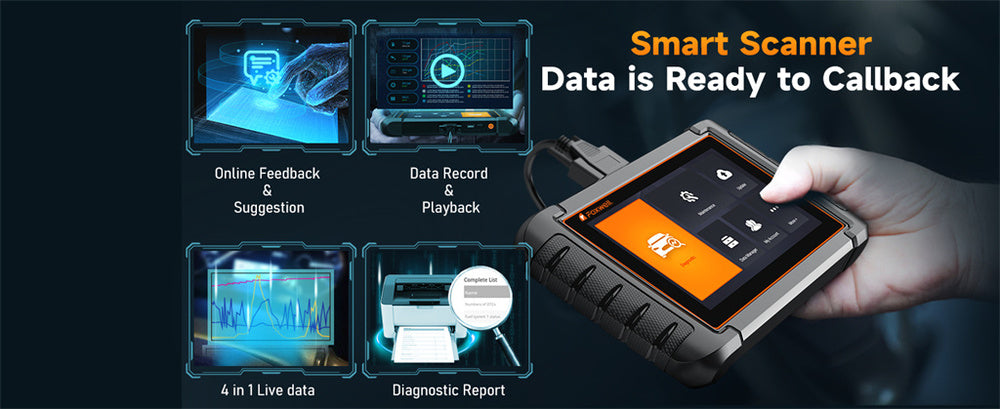
Credit: www.foxwelldiag.com
Relate the data to the engine concern
A useful timing investigation starts with symptoms, fault records and service history. Recent timing work, unusual noise or a severe running problem can change the appropriate next step. Do not run an engine merely to obtain data when the manufacturer procedure or symptoms call for stopping.
Spark scheduling and valve position answer different questions
Spark advance concerns when ignition is scheduled relative to engine rotation. Mechanical valve timing concerns the relationship of the camshaft and crankshaft. Variable valve timing adds controlled movement within a designed system. A scan value in one category cannot automatically validate another category.
Fuel economy is not a timing specification
Poor economy can have many causes. It does not establish an incorrect timing value or justify changing one. Record the complaint accurately and use the applicable diagnostic route. Avoid choosing a preferred advance number from an online example and treating it as a target for your engine.
Suspected mechanical timing faults need the correct assessment
If timing work was recently performed or a mechanical fault is suspected, obtain the engine-specific verification procedure. A plausible scan reading cannot rule out installation or mechanical problems. Do not repeatedly crank or run a potentially damaged engine just to make the reader produce a clearer result.
A changing value is not automatically a defect
Engine control responds to operating conditions, so a live value should be interpreted with relevant context. Record engine speed, load and temperature where supported and useful to the procedure. A variation on the display is an observation, not proof that the timing hardware is loose or worn.
Define the comparison before collecting readings
Write a specific question such as whether the supported data matches the test conditions required by the service information. Avoid a vague aim to see whether timing looks normal. Without a defined comparison, an apparently precise number can create false confidence rather than a useful diagnostic direction.
Choose coverage for the required measurement
Use the vehicle procedure to identify the needed data or equipment first. Then confirm that your reader can supply it. OBDLink’s coverage information illustrates why interface, software and vehicle support must be assessed together. The presence of a generic live-data menu is not enough.
Check labels, units and recording
A useful tool preserves the exact parameter name and allows the relevant readings to be saved with their conditions. Do not compare values from differently labeled parameters simply because both use degrees. Record whether a quantity is commanded, reported, calculated or unavailable where the documentation distinguishes those states.
Avoid a universal model recommendation
The right equipment depends on the engine and test. A simple reader may answer a limited spark-data question, while another investigation may need enhanced software or physical test equipment. Buy or borrow for the documented requirement rather than assuming one brand covers every timing concern.
Prepare a controlled observation
Keep the vehicle secure and plan the test before starting. Save existing codes and event information. Note recent repairs and the conditions under which the symptom occurs. Do not erase the record in preparation for diagnosis, because that may remove clues relevant to the timing investigation.
Manage running-engine hazards
Any necessary running observation requires ventilation and clearance from hot or rotating components. Keep the reader and lead away from driving controls. The driver must not operate a scanner while moving. If a stationary test cannot answer the question safely, obtain an appropriate professional assessment.
Confirm the exact engine application
Similar vehicles may use different engines or control strategies. Verify the engine identification and service information before comparing data. A specification from a different displacement, model year or market can make a normal response appear faulty and send the diagnosis in the wrong direction.
Establish communication using the tool instructions
Follow the documented connection and ignition sequence. Do not assume that permission to read data with the engine running means the tool should be plugged in during operation. Connection, observation and commanded tests can have different prerequisites that must be respected individually.
Use the intended diagnostic outlet
Locate the connector through the vehicle documentation if necessary. Do not probe nearby connectors or bridge terminals to obtain a timing mode. A supported reader should be connected through the proper interface, while any vehicle-specific test setup belongs to the actual service procedure.
Record a connection problem as a connection problem
If the tool cannot link, preserve the message and verify coverage and operating state. Do not treat that failure as evidence of incorrect timing. A powered display does not establish successful communication, and an unsupported parameter does not establish a defective sensor.
Find the relevant live-data item
Select the parameter identified by the tool and vehicle documentation. Keep its complete label visible in the saved record. If the item is not available, stop rather than substituting a similarly named value. The missing data may require different software or another test method.
Keep navigation separate from commands
Reading a parameter should not require experimenting with output controls or adaptations. Cancel unfamiliar prompts. A menu offering a timing-related service routine can have prerequisites beyond a basic observation, and its presence does not mean it is appropriate for the current complaint.
Preserve the conditions with each sample
A screenshot should show or be accompanied by engine state, relevant temperature and speed, and the symptom being observed. Without that context, a technician cannot know whether two readings are comparable. Keep event snapshots separate from current live data so an earlier condition is not mistaken for the present one.
Interpret with the actual service reference
There is no single advance number that this article can declare correct for every engine at idle or under load. The relevant procedure supplies conditions and acceptable behavior. If those are unavailable, report the value as an observation and obtain the missing reference before recommending a repair.
Do not compare unlike angle references
Two parameters can both use degrees while referring to different components or reference conventions. Identify the definition before comparing them. A spark-advance label is not a camshaft-correlation measurement, and a commanded angle is not automatically proof that a mechanism reached that position.
A code can guide testing without proving the cause
A timing-related record may direct attention to a circuit, control system or relationship, but the diagnostic sequence still matters. The EPA’s OBD guidance provides the monitoring context. Preserve the full code and status and use the manufacturer definition rather than a shortened web description.

Credit: www.youtube.com
Choose a physical test when the question requires one
Pico Technology’s cam-and-crank correlation article demonstrates a different kind of evidence: comparing synchronized signals with an appropriate reference. That is not the same as viewing generic advance. The article's example values and setup are not universal specifications for another engine.
Separate possible causes from confirmed findings
A suspected timing issue can involve electrical information, control response or mechanical relationships. The applicable procedure determines how those possibilities are separated.
Do not assume every unusual value means a stretched chain. Do not assume a new sensor will resolve every correlation record.
Preserve uncertainty until the required checks establish the cause.
Use the correct timing-light or mechanical procedure
The Innova timing-light manual directs users to vehicle-specific procedures and specifications.
A timing light and a scan display observe different aspects of the system.
Some engines do not offer an owner-adjustable base timing setting.
Never rotate or alter components simply to make a scan number resemble an unrelated example.
Validate the repair using the same defined question
After a verified repair, repeat only the appropriate checks under comparable conditions. Retain the earlier data and the work record. A warning that remains absent briefly is not the same as a completed verification procedure. Document what changed and what was actually tested.
Keep service history relevant
Record timing-system work, oil-service details relevant to the vehicle procedure and the onset of symptoms. Do not invent a special maintenance schedule from one scan. Follow the manufacturer's maintenance requirements and obtain prompt assessment of concerning noise or operation instead of relying on periodic screenshots.
Update tools for supported reasons
Use official software guidance if a documented decoding or coverage issue affects the parameter. An update cannot correct a mechanical timing fault. Save reports first and confirm the package matches the device. A new version should be verified rather than assumed to explain away an unusual reading.
Improve the quality of the evidence
The best improvement is often a clearer record rather than a more expensive reader. Identify the exact parameter, obtain the correct procedure and record the conditions. These steps make the result interpretable and help determine whether enhanced access or a physical measurement is necessary.
Avoid arbitrary normal ranges
Do not use a universal idle advance range as a verdict. Do not treat a single fluctuation as proof of damage.
Compare only data collected under the specified conditions and retain the reference used. If a forum example involves another engine, it may illustrate a concept without supplying your specification.
Ask for the test that resolves the uncertainty
When seeking help, ask what evidence would distinguish a reported control value from actual mechanical timing. Provide the codes, symptom history and saved data.
A qualified technician can then select the appropriate service procedure, signal comparison or physical check rather than repeating an unfocused scan.

Credit: www.foxwelldiag.com
Keep the conclusion narrower than the display
A scanner can help investigate timing when the supported parameter and its meaning match the question. It cannot replace every timing-light, correlation or mechanical inspection procedure.
The live-data guide explains context and units. The capability guide explains why electronic evidence still needs diagnosis.
Preserve what the tool actually reported and avoid claiming that one number proves the whole timing system is correct.


Automotive reference information. Confirm specifications in the manual for your exact vehicle. Original replacement guides link to their research sources. About us


