
Identify your exact ANCEL model before following an operating guide. This article uses the AD310 as a documented example, not as a universal procedure for every ANCEL scanner.
The AD310 V2.6 manual provides its controls and diagnostic workflow. Begin with a read-only information session and preserve the results.
A warning light is a reason to investigate the vehicle, not automatically a reason to erase codes. Serious symptoms should be handled according to the owner's manual before any scanner experiment.
Confirm that the AD310 fits the job
Write down the question you need answered before connecting the reader. A supported emissions-code check is different from an ABS diagnosis, key service or manufacturer-specific relearn. The tool's role should match the question rather than expand simply because a diagnostic socket is available.
Identify the vehicle and warning
Record year, model, engine and market, plus the exact warning and when it appeared. Recent battery work or repairs can be relevant context. Do not assume two vehicles with the same badge have identical diagnostic support or that a warning always belongs to the engine system.
Separate reading from service functions
Reading a code retrieves information. Clearing changes diagnostic records, while an active test or relearn can have other consequences. Confirm documented coverage for the actual operation. A feature offered by another ANCEL product is not evidence that the AD310 supports it.
Value the evidence you can obtain
A basic reader can be worthwhile when it supplies the information needed for a sensible next step. It can be poor value if bought for an unsupported system. Compare the cost of the appropriate service with the complete tool requirement rather than buying the lowest-priced device first.
Learn the controls before a warning appears
Use the manual to identify navigation, confirmation and exit controls. Read each prompt before accepting it. Familiarity with the screen should reduce accidental commands, not encourage shortcuts around warnings. If a confirmation is unclear, cancel and consult the documentation before proceeding.
Use reviews to form questions, not specifications
An owner's experience on a different vehicle may reveal usability issues but cannot establish your coverage. Ask the manufacturer or seller to confirm the exact application. Keep that answer with the purchase record so a later communication problem can be discussed accurately.
Verify market-specific compatibility
Check the relevant vehicle documentation and ANCEL coverage rather than assuming one worldwide model-year cutoff. A physically matching connector does not prove that every requested system is supported. Imports and unusual applications deserve particular attention before you rely on the reader.
Avoid buying imagined future functions
If future work will require a broader scanner, identify those functions separately. Do not assume that a later software download will add every missing module or service procedure. Hardware and licensed coverage can impose limits that a simple update cannot remove.
Prepare the equipment and record
Keep the matching manual, vehicle details and a place to save results nearby. Inspect the reader and lead before use. A short record of the original symptom helps distinguish a vehicle concern from a new connection problem encountered during the scan.
Check the actual package
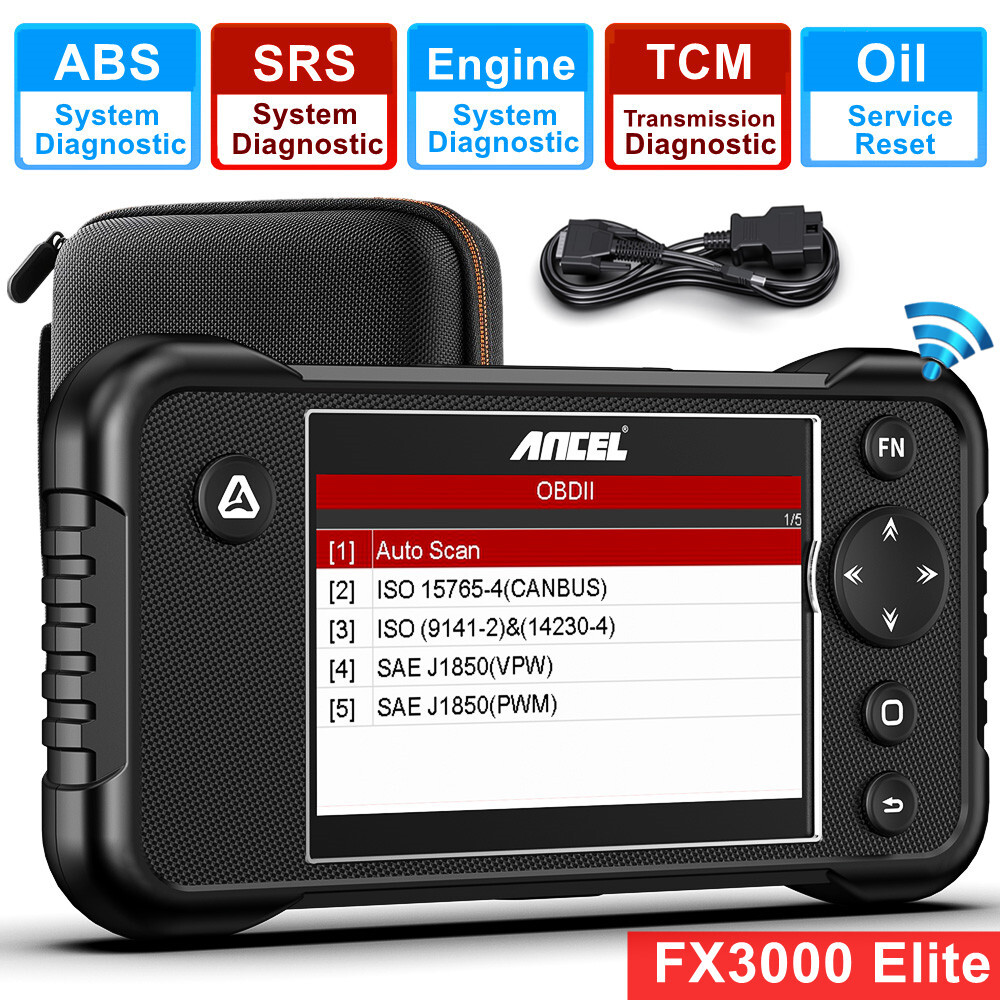
Compare the supplied contents with the documentation for your model and revision. Do not substitute an unrelated cable merely because it fits one end. If a required item is missing or damaged, resolve that with the supplier before attempting vehicle communication.
Use the documented power arrangement
Do not assume every ANCEL reader needs charging or a phone connection. Determine how your exact unit is powered from its manual. A blank screen calls for checking that documented arrangement, not improvising an external power supply or probing vehicle contacts with household objects.
Install only software the model requires
A handheld reader and an app-based adapter have different setup needs. Use ANCEL’s official download directory to locate the matching documentation. Avoid installing an updater, driver or mobile app merely because its name resembles the product label.
Connect under the prescribed conditions
Park securely and use the ignition state specified for the connection step. Keep the diagnostic lead away from the driver's feet and controls. If running operation is later required, arrange proper ventilation and follow the vehicle's safety instructions before starting.
Locate the correct diagnostic socket
Use the owner's documentation if the socket is not immediately visible. Do not confuse another connector under the dashboard with the diagnostic outlet.
A covered or awkwardly positioned socket should be accessed without forcing trim or pulling nearby wiring.
Seat the connector without force
Check orientation first. Support the plug body while inserting it normally.
Stop if resistance seems abnormal or contacts look damaged. A connection that powers the reader may still fail to communicate.
Record that distinction instead of describing every problem as a dead scanner.

Credit: www.youtube.com
Use the diagnostic menu deliberately
The AD310 documentation includes code reading, live data, freeze-frame review, readiness and vehicle information. Treat these as separate sources of evidence. Choose the one relevant to your question and retain its label with any screenshot so later readers know what they are seeing.
Start with Read Codes
In the documented workflow, select Read Codes from Diagnostics using the navigation and confirmation controls. Preserve the full codes and their displayed status. A count alone is insufficient because it loses the identity and context of each reported condition.
Do not infer all-system access
A successful engine connection does not certify access to brakes, airbags or every transmission function. If the symptom belongs elsewhere, obtain confirmed coverage or professional diagnosis. The EPA’s OBD guidance explains the emissions context behind generic diagnostic information.
Make the first scan a baseline
Save the initial results before repairs or clearing. Add the date, mileage and recent work. That baseline lets a technician compare a recurring condition with the original record instead of relying on a recollection that the light was on sometime last week.
Select the appropriate information view
Read codes first. Then review available event information that relates to the complaint.
Use live data only for a defined comparison under recorded conditions. An unsupported parameter is not a zero measurement.
Keep the units and the engine state visible in your notes.
Interpret findings without ordering parts blindly
A code describes a detected condition, not a proven replacement part. The correct vehicle procedure determines the tests that follow.
A circuit concern may require wiring checks.
A sensor may be reporting an actual operating problem.
Separate the electronic record from your theory about its cause.

Credit: www.youtube.com
Treat clearing as a later decision
The erase function should follow assessment and a verified repair where appropriate. It is not routine preparation for diagnosis. Removing a record can make an intermittent complaint harder to understand and can change the readiness information used during emissions inspection.
Preserve evidence before an erase command
The AD310 manual specifies ignition on with the engine stopped for erasing. Save the original data first.
Read the confirmation carefully and proceed only when the operation is justified. Recheck according to the vehicle procedure afterward.
An accepted erase command is not proof of a successful repair.
Understand what a clear screen cannot prove
A warning may remain absent until the vehicle encounters the conditions that trigger monitoring again. A short period without a light therefore does not establish that the cause has disappeared. Keep repair verification separate from the immediate result of a clearing command.
Keep readiness in context
According to Texas DPS readiness guidance, incomplete monitoring can follow clearing or related events. The vehicle needs the applicable conditions to complete its tests. Do not prescribe one universal mileage or speed routine, and do not mistake an unsupported monitor for an incomplete supported one.
Use the report to improve the repair discussion
Give the repairer exact records and symptom observations. Ask which test supports a proposed replacement rather than demanding the part named in a code description. FTC repair guidance supports clear explanations and estimates before work begins. The reader's value is better information, not automatic diagnosis.
Handle software questions by exact model
An update route must be documented for the particular unit. Do not infer update capability from a similarly named scanner or an advertisement for another model. If no supported process is listed, ask ANCEL rather than trying arbitrary firmware packages.
Do not improvise a computer connection
Use only the connection method required by the official procedure, if one exists for your unit. A port or cable should not be treated as permission to flash software. Record the current model and version before requesting technical support.
Check download identity before installation
Confirm the manufacturer domain, product name and revision on any offered file. Preserve useful reports first. A software file intended for a different product can create a problem that did not exist during ordinary reading. Stop if the documentation does not match.
Classify a failed session
Describe whether the reader is unpowered, cannot link, retrieves no codes or lacks a requested function. These are different outcomes. A support request becomes much clearer when it includes the exact message and the stage reached rather than simply saying the scanner does not work.
Check communication prerequisites
Verify the documented ignition state, normal connector seating and actual vehicle coverage. Do not repeatedly cycle unrelated settings or bridge pins. If a safe documented retry fails, obtain help with the connection or vehicle electrical system as appropriate.
Keep an error separate from a vehicle diagnosis
An unsupported-mode message is not proof that a component failed. A no-code result applies only to what was queried. Preserve screenshots with the vehicle identity and tool model so support can determine whether the limitation concerns coverage, setup or an actual fault.
Care for the reader between sessions
A clean, undamaged tool is easier to trust than one with a strained cable or contaminated connector. Inspect it before each use and stop if the housing or lead is damaged. Maintenance should follow the supplied manual rather than involve opening or modifying the device.
Keep moisture and contamination away
Use the manufacturer's permitted external cleaning method. Do not spray liquid into connectors or the display seam. If contamination is inside the vehicle socket, seek the appropriate service method rather than using a metal object or solvent that could damage contacts.
Store the lead without sharp strain
Keep the reader dry and protect the connector from crushing. Avoid tight bends at the cable ends. Store the manual with the tool, particularly if several readers are used in the household, so the next session starts with the correct instructions.
Credit: www.ebay.com
Finish with a defined next step
An AD310 scan should produce a saved record and a question to investigate. It should not create certainty beyond the tool's coverage. Use the live-data guide for measurement context and the connection troubleshooting guide if communication fails.
Follow the actual vehicle procedure for diagnosis and repair verification. Preserve the original evidence even when a later screen looks clear.


Automotive reference information. Confirm specifications in the manual for your exact vehicle. Original replacement guides link to their research sources. About us


