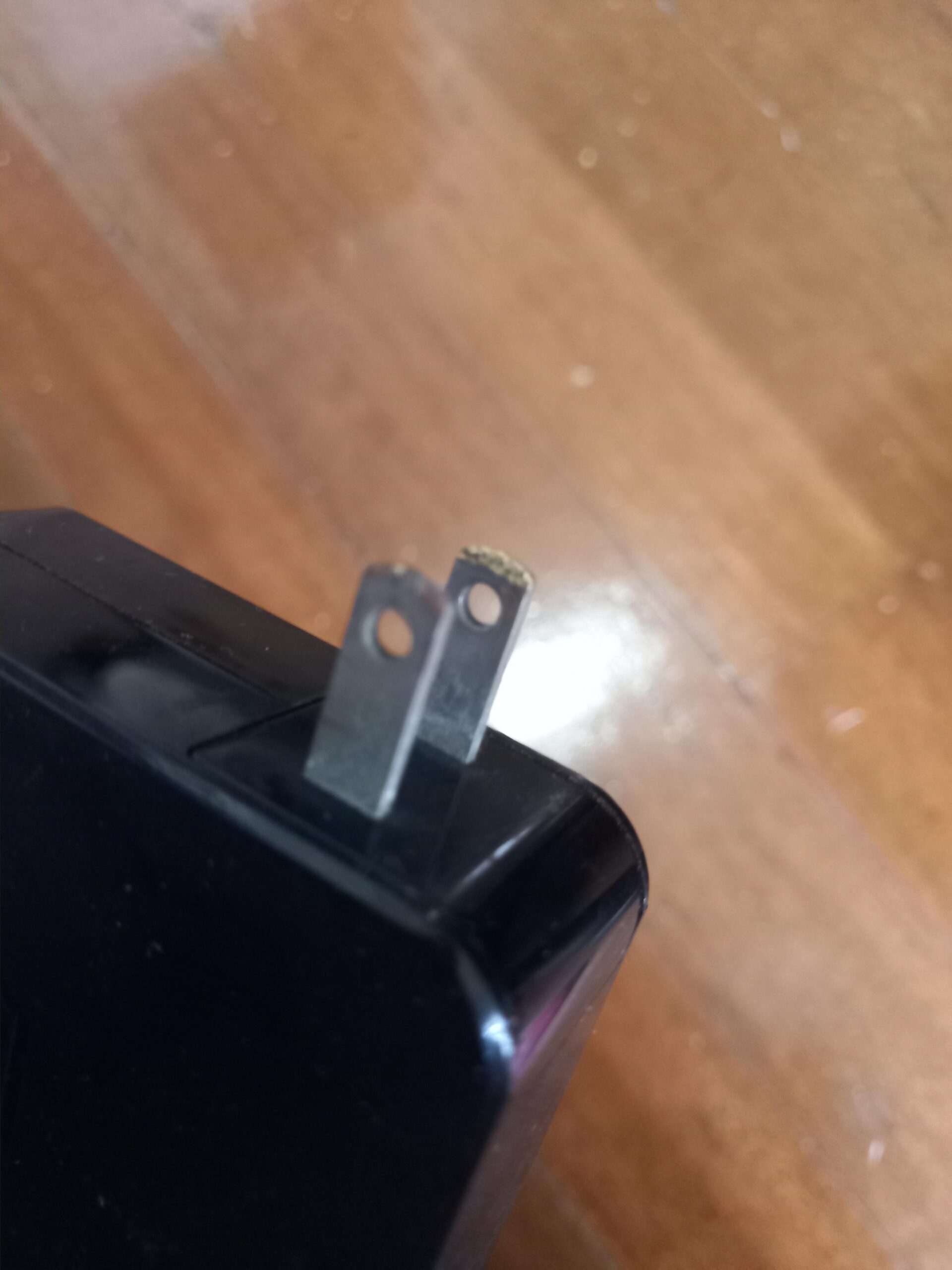

A small, momentary spark at a wall plug can occur when an adapter first makes electrical contact, but that does not make every charger spark harmless. The location, duration and condition of the equipment change the answer. Sparking inside a charger, at a damaged cable, at a loose socket or while the connection is already seated calls for stopping use and having the equipment assessed.
First identify what you mean by charger: a phone or laptop power adapter, a 12-volt vehicle battery charger, or an electric-vehicle charging connector. Advice for one cannot safely be transferred to the others.
This guide helps you decide what to stop using and what information to give the manufacturer or electrician. It does not provide instructions for opening a mains adapter, repairing a live outlet or probing an EV connector.

Credit: www.youtube.com
Identify exactly where the spark appeared
Write down whether the flash occurred at the wall-plug blades, the device connector, the cable, the adapter casing or a battery clamp. A spark seen while the blades first touch a live outlet is different from repeated arcing after the plug is fully inserted.
Apple notes that a brief spark can occur when an adapter is plugged into a live outlet, while advising support for sparking elsewhere or damage. This is a product manufacturer's distinction, not a way to certify an unknown charger from a photograph.
Do not repeatedly reconnect the device to obtain a video of the event. Describe what you already saw and leave a suspect connection unused until it is assessed.
Separate an adapter problem from an outlet problem
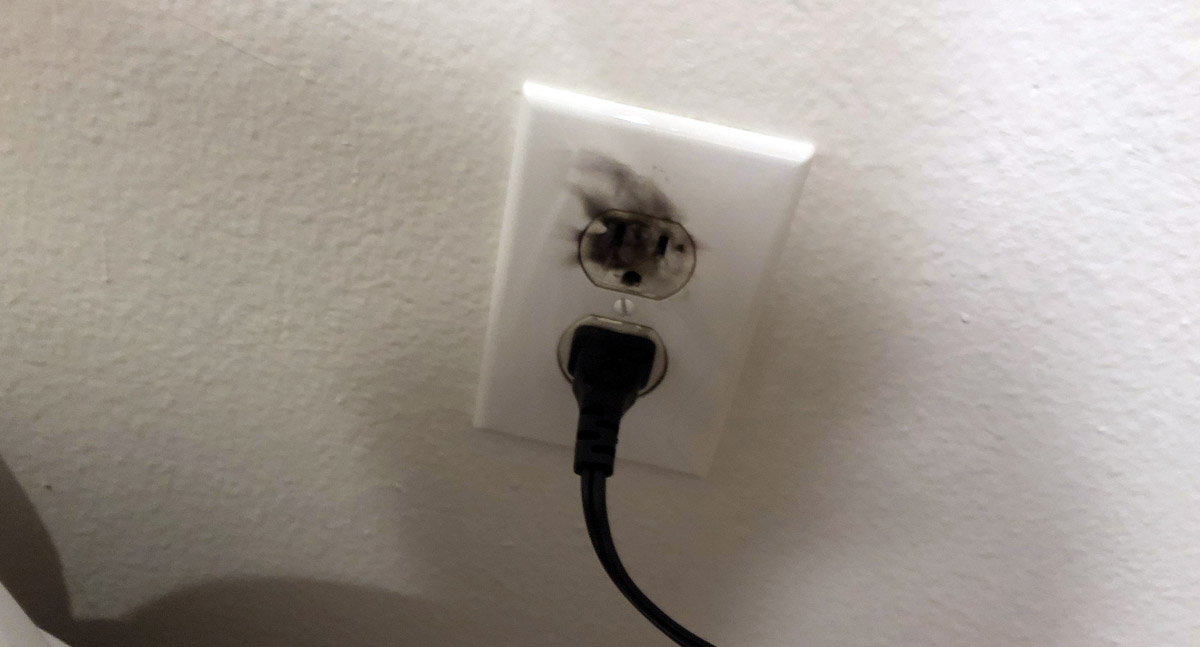
A loose-fitting plug, discoloration around the socket or evidence of heat directs attention to the supply connection as well as the charger. ASUS discusses arcing during contact and warns against continued use when sparking is severe or an outlet is deformed. Changing the charger alone would not repair an unsafe receptacle.
Conversely, damage that follows a particular cable or adapter needs examination of that product. Do not plug a suspect adapter into several other sockets as a casual comparison test.
A qualified electrician can assess the outlet and circuit; the device manufacturer can assess the adapter. Keep those responsibilities separate when explaining the problem, so neither part of the system is overlooked.
Check compatibility before blaming charger quality
Use equipment specified for the device and intended for your mains supply. Matching the connector shape alone does not establish electrical compatibility.
Check the model label and the manufacturer's replacement guidance rather than assuming that any adapter with a familiar logo or similar wattage is equivalent. Missing markings, damaged packaging or an uncertain seller are reasons to verify the product before use, but a high price is not a safety test either.
Do not alter plug blades, remove an earth pin or stack conversion adapters to make a poor fit work. If the charger is intended for automotive use, check its battery type and voltage compatibility as well as the wall-side supply requirements.
Credit: www.finnleyelectrical.com.au
Warning signs that override a reassuring explanation
A general explanation about contact arcing should never overrule the condition of the equipment in front of you. Repeated crackling, a burning smell, smoke, melting, a hot damaged connection or a shock sensation changes the decision to stop using it. A protective device that trips repeatedly also needs investigation. Do not keep resetting a breaker or replacing a fuse simply to continue charging. A charger that still delivers power can be damaged, so successful charging does not prove that its insulation or connections remain safe.
If there is smoke, burning or sustained arcing
Keep people away from the equipment and do not reach across smoke or touch a damaged connection. Isolate the electrical supply only if you can do so safely from a suitable switch or breaker. If there is a fire or an immediate danger, leave the area and call the local emergency service. Do not pour water on energized electrical equipment. Investigation and photographs can wait until the danger is controlled. The goal at this stage is to remove exposure, not to determine which component failed.
If a plug blade breaks or remains in the outlet
A broken blade in a socket is not a small extraction job. Apple advises against touching or attempting to remove a damaged blade lodged in an outlet and directs users to isolate power or obtain qualified help. Do not use pliers, a screwdriver or another metal object to retrieve it. An apparently inactive charger does not establish that the socket is de-energized. If you cannot safely identify and isolate the correct supply, leave the outlet alone and arrange an electrician.
If charging stops or the device behaves strangely
Record any error message, charging interruption or unusual heat without trying to force the charger to continue. A shutdown could be a protective response, a connection fault or a separate device issue; it does not identify the failed component by itself. Keep the adapter, cable and device model details together when contacting support. If a connector or enclosure is damaged, stop use regardless of whether charging resumes after cooling. Do not bypass temperature protection or tape a cable into a position where it intermittently works.
What to do after one brief wall-plug flash
If the event was a single small flash only at initial wall contact, and there are no other concerns, consult the adapter manufacturer's explanation for that model. Do not make a blanket conclusion based only on the spark's color or a claimed universal safe size.
Check the accessible exterior after the equipment is safely disconnected and cool, without inserting anything into the outlet. Note whether the plug normally fits securely, but do not wiggle an energized connection to test it.
If you are uncertain about damage, have the equipment assessed before reusing it. A description such as initial contact only is more useful to support staff than simply saying that electricity sparked.
Use the correct charging setup each time
Keep charging equipment away from liquids, combustible clutter and locations where a cable will be crushed or repeatedly bent. Follow the ventilation and placement instructions for the particular adapter.
Protect the cable from being trapped under a chair leg or pulled by the device's weight. Check the external condition occasionally, especially after a drop or a trip over the lead.
An extension arrangement must be permitted by the equipment instructions and suitable for its load; do not assume that a setup adequate for a phone is appropriate for an EV. Keep children and pets away from damaged equipment while it is waiting for service or disposal.
When replacement is the appropriate next step
Replace or professionally service a charger that the manufacturer identifies as damaged or unsafe. A taped casing, improvised cable splice or straightened loose blade is not equivalent to a verified repair. Where the cable is a separately replaceable approved part, support may distinguish a cable replacement from replacing the entire adapter. Where it is integral, opening the enclosure is not an ordinary maintenance step. Retain the product identification and purchase information before disposal so warranty or product-safety questions can still be answered.
Recognize wear before the next charging session
Look for a cracked housing, fraying near a strain relief, bent or loose blades and heat discoloration. Apple lists these kinds of external damage as reasons to stop using power accessories. Do not flex a damaged cable while it is powered to locate the bad spot. An intermittent connection can disappear temporarily when the cable moves without becoming safe. Photograph the exterior only after disconnection, and tell support whether the problem followed a fall, liquid exposure or repeated bending. That history can help identify what needs replacement.
Repeated sparks need a different response
If the connection continues to spark after seating, stop using it. Repeated plugging and unplugging is not a repair, and a device that works between flashes has not passed a meaningful safety check. A loose outlet, damaged blade or defective adapter may need attention, but choosing between them requires examination. Tell the electrician or manufacturer whether the sparks appeared at insertion or during normal charging. Do not attempt to prove the cause by loading the socket with another appliance. Keep the suspect socket or equipment out of use until its condition is resolved.
A 12-volt battery-clamp spark is a separate hazard
Do not apply the wall-adapter explanation to a spark at an automotive battery. A lead-acid battery can release explosive gas, and an arc near it is an ignition source. NOCO battery-charger instructions emphasize battery compatibility, ventilation and avoiding sparks around the battery. Follow both the charger and vehicle instructions for connection points, connection order and disconnection. Do not invent a universal clamp sequence from a short online answer, especially where a vehicle provides dedicated charging terminals. Never use clamp sparking as a test of whether a battery is alive. Stop if the battery is damaged, leaking, swollen or otherwise unsuitable for charging, and obtain appropriate service advice.
Credit: www.reddit.com
An EV charging connector is not a phone adapter
Visible damage, corrosion or sparking at an EV connector calls for stopping use and contacting the equipment provider. Tesla Mobile Connector instructions prohibit using damaged equipment, opening the enclosure and connecting to a loose or worn outlet. They also instruct users not to pull the wall plug while the vehicle is charging. Use the charging stop and release procedure for the actual vehicle and charger. Do not probe connector contacts with a screwdriver, spray an unidentified cleaner into them or force a connector that will not release. Public-station faults should be reported with the station identifier so the operator can isolate and inspect the equipment.
What an electrician needs to know
Give the location of the affected socket, the charger type, when the spark occurred and whether you noticed heat, odor, discoloration or protective-device trips. State what else was connected, without recreating the event. If the outlet is inaccessible or supplies a high-load charging installation, mention that before the visit. The electrician can decide what inspection or testing is appropriate. Avoid requesting only a cosmetic faceplate replacement when the symptom may involve the contacts or wiring behind it. A photograph can help describe visible damage, but it cannot establish the condition of concealed connections.
What the charger manufacturer needs to know
Provide the model number, device being charged, cable type and the exact connection where the event occurred. Include whether the product was dropped, exposed to liquid or used with an adapter arrangement. Ask whether the equipment should remain unused and how to obtain an approved replacement or assessment. Follow any return-shipping directions for a product associated with a damaged battery rather than mailing it without guidance. Keep the original description factual: one brief flash at insertion is different from smoke during charging, and the distinction helps support prioritize the response.
Warranty paperwork does not decide whether to keep using it
A warranty claim and a safety decision are separate matters. Do not continue using equipment that shows damage merely because a replacement has not yet been authorized. Save the receipt, model information and support case number, and ask what documentation is needed. Avoid opening the charger to produce evidence, since this can expose hazardous components and complicate assessment. If the charger belongs to a workplace, rental property or shared charging site, notify the responsible operator and keep others from unknowingly using the suspect equipment.
Make the decision from the connection and its condition
A brief wall-contact spark can have an ordinary explanation; ongoing arcing or damage requires a stop-use response. Battery clamps and EV connectors have different hazards and instructions, so identify the connection before applying advice. Do not reproduce the event, probe live parts or attempt a mains repair to settle the question.
Record what happened, isolate suspect equipment safely and use the manufacturer or a qualified electrician for the unresolved fault. The practical outcome should be a verified safe charging setup, not simply a charger that happens to power the device again.


Automotive reference information. Confirm specifications in the manual for your exact vehicle. Original replacement guides link to their research sources. About us


